Imagine your company's sensitive data—financial records, client lists, and trade secrets—is sitting in a physical filing cabinet. Just deleting files from a computer is like tossing those documents in an open trash can. Anyone can still grab them. Hard drive shredding, on the other hand, is the digital equivalent of running those papers through a high-security cross-cut shredder, making them impossible to piece back together. This guide is for U.S. business owners, IT managers, and procurement professionals who need a secure, compliant solution for IT asset disposal.
The High Cost of Improper Data Disposal
For commercial enterprises across the United States, retired IT equipment isn't just taking up space; it's a ticking time bomb of data liability. The moment a server, laptop, or desktop is taken out of service, it becomes a potential source for a catastrophic data breach if not handled correctly.
Simply forgetting to destroy the hard drives inside is a gamble most organizations can't afford to make. The consequences go far beyond a simple security incident.
Failing to physically destroy old hard drives exposes your business to several severe, compounding risks. Each one has the power to inflict serious damage on your operations, finances, and reputation. These are not just hypothetical threats; they are active dangers that IT leaders must deal with head-on.
Financial and Reputational Catastrophe
The financial penalties for data breaches are staggering. A single incident can trigger multimillion-dollar fines from regulatory bodies, especially for companies in regulated industries. By 2026, a U.S. data breach is projected to cost over $4.5 million on average, with improper hard drive disposal often being a key factor.
That number doesn’t even cover the costs of customer notification, credit monitoring services, and the legal fees that always follow.
Beyond the direct financial hit, the damage to your company’s reputation can be permanent. Losing customer trust is a devastating blow, leading to client churn and a tarnished brand image that can take years, if ever, to rebuild.
Key Risks of Neglecting Hard Drive Shredding
Understanding the specific threats makes it clear why physical destruction is the only acceptable final step for assets holding sensitive data. The stakes are just too high to leave to chance.
- Crippling Data Breaches: Stolen drives can lead to the exposure of trade secrets, intellectual property, customer lists, and employee PII (Personally Identifiable Information).
- Severe Compliance Violations: Regulations like HIPAA, GLBA, and the FTC Disposal Rule mandate secure data destruction. Non-compliance results in massive fines and legal action.
- Permanent Loss of Customer Trust: A public data breach erodes confidence in your brand, sending current and potential customers straight to your competitors.
- Intellectual Property Theft: Your proprietary information is a prime target for corporate espionage, and old hard drives are a goldmine for determined rivals.
Delaying the destruction of these assets only extends the period of risk. As we cover in our article, the security risks of delayed data destruction can create ongoing vulnerabilities for your organization.
Ultimately, professional hard drive shredding isn't an expense—it's a critical investment in risk management and business continuity. It is the final, non-negotiable step in a secure IT asset lifecycle.
The Hard Drive Shredding Process From Start to Finish
Ever wondered what really happens when your business sends its old hard drives off to be shredded? It’s not just about a big machine turning metal into confetti. A professional shredding service follows a surprisingly strict, step-by-step security process designed for one thing: to guarantee your data is gone for good.
It all starts long before the shredder even warms up. The first step is creating a detailed inventory, usually a simple spreadsheet, that lists every single hard drive, server, or laptop slated for destruction. Each device's unique serial number is scanned and recorded, creating a clear audit trail that follows every asset from your door to its final moments.
The Chain of Custody
Once the inventory is set, the chain of custody begins. Think of it as the documented security handoff that tracks your equipment the moment it leaves your possession. This is the backbone of any professional data destruction service for commercial clients.
- Secure Collection: Your drives are placed into locked, tamper-evident containers right there at your facility.
- Documented Handover: A formal transfer is signed, noting the exact date, time, and people involved in the handoff.
- Secure Transport: The locked containers are then moved in a secure, GPS-tracked vehicle straight to the shredding location.
This unbroken paper trail gives your business auditable proof that your data was handled securely every step of the way, leaving no room for error or misplaced devices.
This process directly addresses the risks of a data breach. The infographic below shows how failing to destroy data can lead to serious fines, and how shredding provides a definitive solution.
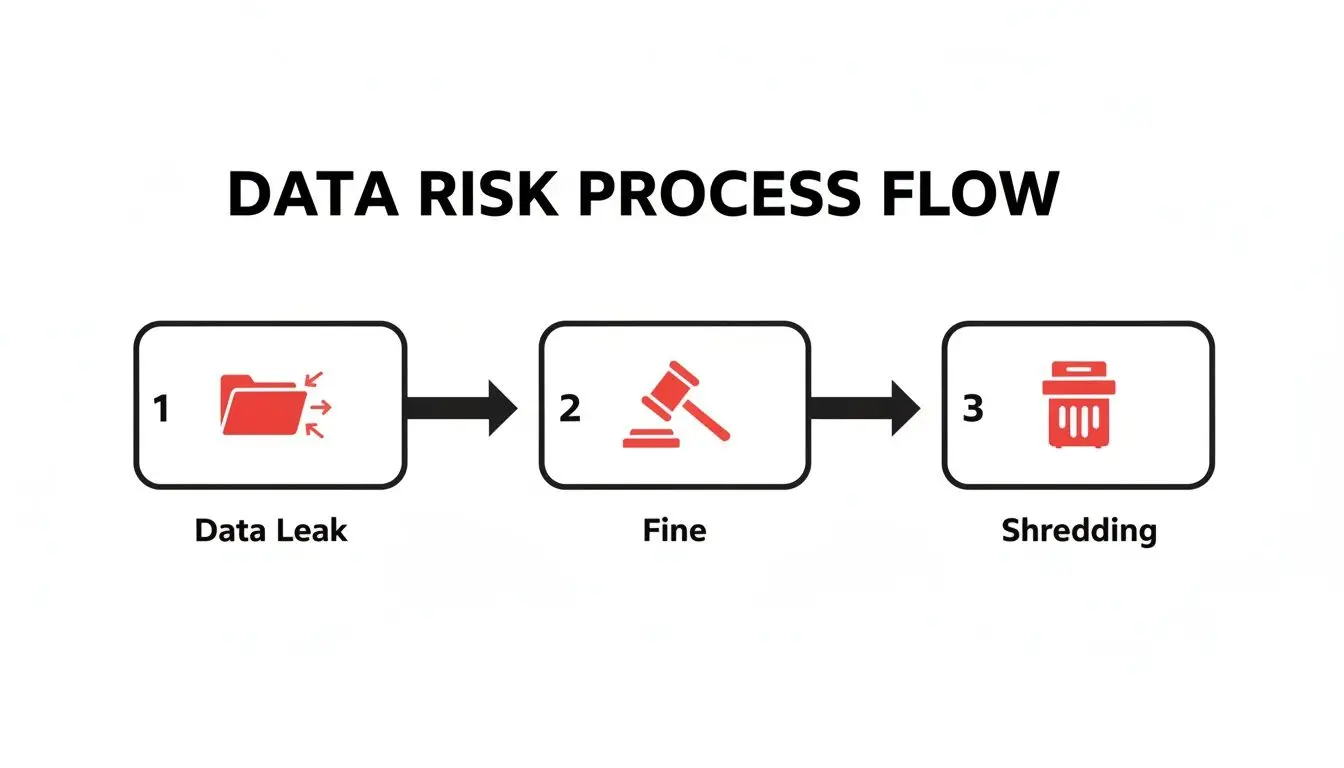
As you can see, proactive destruction isn't just a cleanup task—it's a critical part of your risk management strategy.
On-Site vs Off-Site Shredding Models
When it comes to the actual shredding, your business generally has two options. Choosing the right one depends entirely on your company's security needs, budget, and compliance requirements.
On-site shredding is exactly what it sounds like: a massive, industrial shredder on wheels pulls up to your business. You can literally watch your hard drives get fed into the machine, which offers the ultimate peace of mind and transparency. Because the drives never leave your property intact, this model completely eliminates any risk during transport.
The alternative is off-site shredding. With this model, your drives are securely transported from your facility to a specialized, high-security destruction plant. While you don't witness the process in person, it's all governed by the same strict chain of custody protocols. This option is often more cost-effective, especially for large quantities of drives from a data center decommissioning or office cleanout.
Comparing On-Site vs Off-Site Hard Drive Shredding
This table breaks down the core differences between the two service models, helping your business decide which path aligns best with its security and budget needs.
| Feature | On-Site (Mobile) Shredding | Off-Site (Facility) Shredding |
|---|---|---|
| Location | At your business premises | At the vendor's secure plant |
| Transparency | High (you witness the destruction) | Moderate (relies on documentation) |
| Security | Eliminates all transit risk | Relies on secure transport protocols |
| Best For | Maximum security, compliance verification | Large volumes, cost-efficiency |
Ultimately, both are secure options when performed by a certified vendor. The choice comes down to whether you need to see it happen with your own eyes or if your business is comfortable relying on a documented, audited process.
Final Destruction and Certification
Whether on-site or off-site, the end result is the same: total physical annihilation. Industrial-grade shredders use powerful, interlocking steel teeth to pulverize hard drives, SSDs, and backup tapes into tiny, mangled fragments of metal and plastic. The final particle size can be adjusted to meet different compliance standards, from a standard shred down to high-security particles just a few millimeters across.
Once destroyed, the pile of shredded material is responsibly recycled. The final step for your business is receiving a Certificate of Destruction. This is a legal document that lists the serial numbers of every single device that was destroyed, confirming their disposal and officially transferring liability from your organization to the shredding company.
If you’re ready to schedule a service or just want to see what’s available in your area, you can find more information about local hard drive shredding services near you.
Navigating Data Destruction Compliance and Regulations
Staying on the right side of the law isn't just a box to check—it's essential for survival. For any organization that handles sensitive information, navigating the tangled web of data destruction rules is non-negotiable. Get it wrong, and you could be looking at staggering fines, painful legal battles, and a reputation that’s shattered overnight.
This is where physical destruction through hard drive shredding offers a clear path forward. It's a direct, verifiable, and permanent way to meet these strict legal demands. When a drive is physically pulverized into small metal pieces, the data is gone for good. Recovery is impossible, which satisfies the core requirement of nearly every data protection law out there.
Key Regulations Your Business Must Know
Several federal and industry-specific regulations make secure data destruction a legal duty for U.S. businesses. These aren't just gentle suggestions; they're enforceable laws with serious teeth. A proactive compliance risk assessment is the first step to figuring out exactly what your organization needs to do.
Here are some of the heavy hitters that directly shape how you should handle IT asset disposal:
- FTC Disposal Rule: This federal rule demands that businesses take "reasonable measures" to protect consumer information when getting rid of it. Shredding a hard drive is widely accepted as a very reasonable and effective measure.
- HIPAA (Health Insurance Portability and Accountability Act): If your organization touches Protected Health Information (PHI), the HIPAA security rule is the law of the land. It requires a clear policy for the final disposal of electronic PHI (ePHI) and the hardware it lives on, from medical equipment to data center servers. Physical destruction is a go-to method for making sure ePHI from old gear can never be retrieved.
- GLBA (Gramm-Leach-Bliley Act): Financial institutions must follow GLBA to guard consumers' private financial data. The GLBA Safeguards Rule requires a written security plan, which has to include how customer data will be securely disposed of.
Ignoring these rules can be a company-ending mistake. Just look at Morgan Stanley, which was slapped with a $35 million settlement for failing to properly decommission thousands of hard drives and servers. This mistake exposed the personal information of about 15 million customers, a stark reminder of the massive financial fallout from cutting corners on data destruction.
The NIST Gold Standard for Data Sanitization
On top of specific laws, the National Institute of Standards and Technology (NIST) provides the most respected framework for destroying data. The guidelines in NIST Special Publication 800-88, "Guidelines for Media Sanitization," are treated as the gold standard by government agencies and private companies alike.
NIST 800-88 breaks down data sanitization into three main methods: Clear, Purge, and Destroy.
Destroy: This is the most absolute method. It renders the storage media completely unusable through actions like disintegration, pulverization, melting, incinerating, or shredding. NIST is crystal clear that destruction offers the highest level of security, guaranteeing that data is gone forever.
For businesses that need undeniable proof of compliance, following NIST's "Destroy" guideline is the strongest move you can make. To go deeper, you can learn more about how NIST SP 800-88 guidelines influence modern data destruction practices.
The Power of a Certificate of Destruction
So, how do you prove your business did everything right? That's where the Certificate of Destruction comes in. Think of it as more than just a receipt—it's your legal shield, your documented proof that you complied with the law.
A certified vendor like Beyond Surplus issues this certificate after the shredding is done. It serves a few crucial purposes:
- Auditable Proof: It creates a detailed paper trail, often including the serial numbers of the destroyed drives. When an auditor comes knocking, your business has exactly what it needs to demonstrate compliance.
- Chain of Custody Confirmation: The certificate validates that your assets were securely handled from the moment they left your hands to the moment they were destroyed.
- Liability Transfer: It officially moves the liability for the data from your company to the destruction vendor. It's documented peace of mind.
In a world where you're often considered guilty until proven innocent, a Certificate of Destruction is a non-negotiable part of managing risk. It closes the final chapter on your IT asset's lifecycle, giving you the definitive proof that you took every step to protect your data.
Shredding vs. Wiping: Which Method Is Right for Your Business?
For any IT leader, the choice between physically shredding a hard drive and digitally wiping it is a major decision with serious security implications. This isn't just about picking a technical method; it's a strategic choice that defines your company's data disposition policy. The right answer really depends on your goals for the hardware, your compliance requirements, and your tolerance for risk.
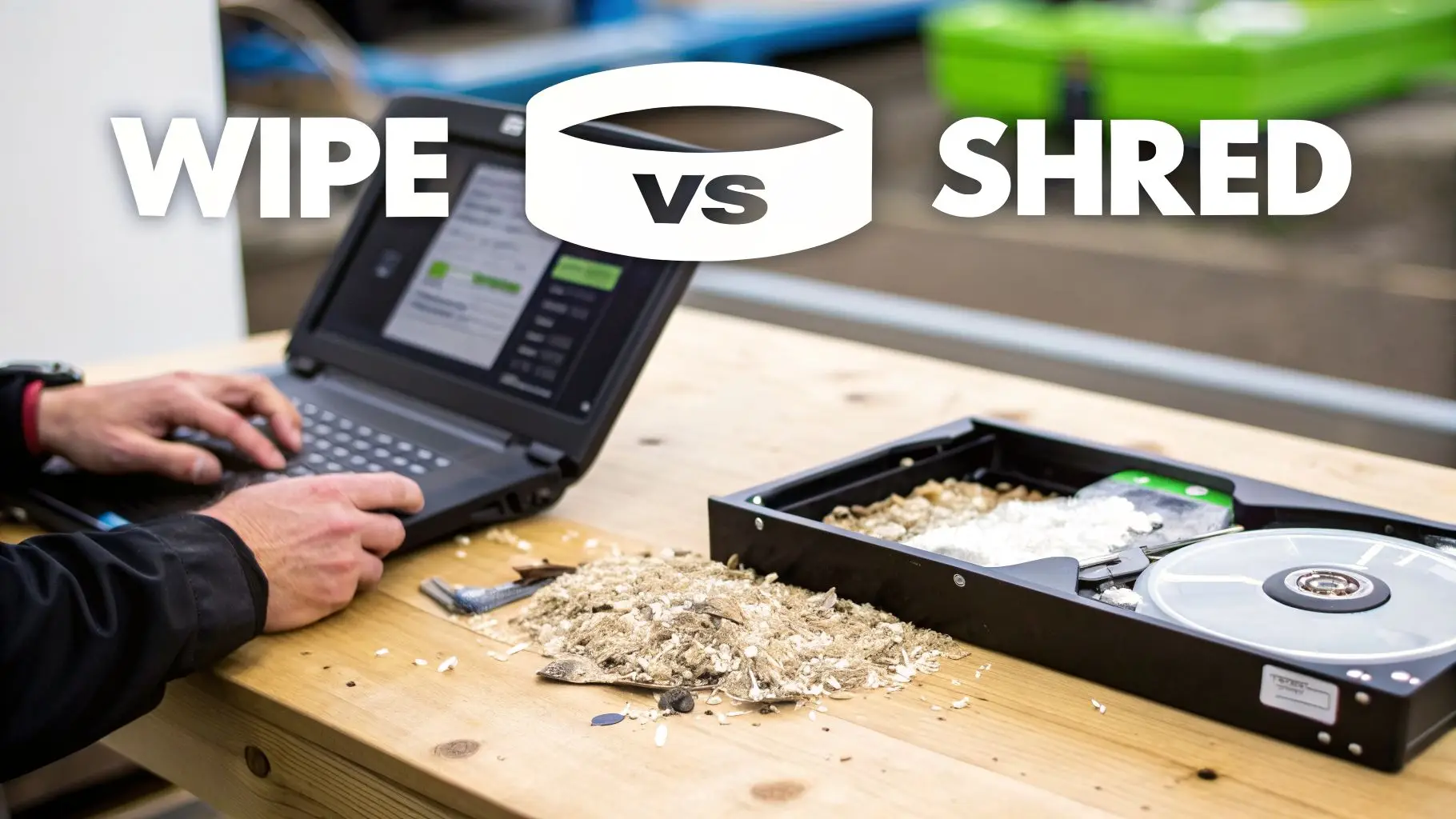
Think of it like this: wiping a drive is like renovating a house to make it secure and ready for a new owner. Shredding is like demolishing the house entirely, leaving absolutely no trace it ever stood there. Both have their place, but one provides a level of finality the other simply can't match.
When to Choose Data Wiping
Data wiping, often called data erasure, uses specialized software to overwrite every single part of a hard drive with random binary data. This process is typically repeated several times, making it impossible for the original information to be recovered with software-based tools.
Wiping is the best option in one key scenario: asset value recovery.
If your company's hard drives are still working and hold some market value, wiping allows you to securely prepare them for a new life. This is ideal for:
- Resale: You can sell the drives on the secondary market, recouping a portion of your original investment through IT asset recovery.
- Redeployment: Wiped drives can be safely repurposed within your own organization for new hires or less critical functions.
- Lease Returns: Equipment being returned to a leasing company must have its data sanitized, and certified wiping meets this need perfectly.
For any business focused on getting the maximum ROI from its IT assets, a certified wiping process is an excellent strategy. If this sounds like your goal, you can dig deeper into our guide on how to completely wipe a hard drive to understand the technical side.
When Shredding Is the Only Answer
Even with the benefits of wiping, there are many situations where physical destruction is the only acceptable—and guaranteed—solution. Hard drive shredding offers absolute certainty, which is simply non-negotiable in high-stakes environments.
Shredding is the mandatory choice for:
- Failed or Damaged Drives: If a drive is physically broken or has bad sectors, wiping software can't reach and overwrite 100% of the media. These unreadable areas could still hold sensitive data fragments, making physical destruction the only secure path forward.
- Outdated or Obsolete Media: Old hard drives, backup tapes, and SSDs with no resale value are just a liability sitting on a shelf. Shredding them eliminates that risk without the time and cost of wiping.
- Strict Compliance Mandates: For industries governed by HIPAA, GLBA, or other government regulations, physical destruction provides the most defensible proof of data elimination. A Certificate of Destruction is irrefutable evidence for any audit.
- Highest Security Needs: When you're dealing with top-secret intellectual property, classified information, or critical customer data, the "demolish" approach of shredding removes any theoretical chance of recovery.
The technology behind hard drive shredding has made it the gold standard for ultimate data security. The market for hard disk destruction equipment is projected to grow from USD 2.85 billion in 2025 to USD 4.23 billion by 2032. This growth is driven by demand for certified equipment, like shredders meeting NSA/CSS 9-101 standards that reduce platters to particles smaller than 2mm. In fact, 68% of Fortune 500 firms now use on-site destruction to eliminate transit risks, a vital practice for sectors like finance facing PCI-DSS audits.
A Hybrid Strategy for Maximum Value and Security
For most large organizations, the smartest approach isn’t an "either/or" choice. A hybrid model is almost always the best path forward. By sorting your retired IT assets, you can apply the most fitting data destruction method to each group.
Here’s what a smart hybrid policy looks like in practice:
- Audit Your Assets: First, identify drives that are modern, fully functional, and have potential resale value.
- Wipe for Value: Use certified data wiping services for these valuable assets to prepare them for resale or internal redeployment.
- Shred for Security: For everything else—including failed drives, obsolete media, and any drives that held ultra-sensitive data—mandate immediate physical shredding.
This balanced strategy allows your organization to maximize both security and financial return, creating a data disposition program that is both cost-effective and completely defensible.
How to Choose a Certified Hard Drive Shredding Partner
Picking a partner to shred your business's hard drives isn’t like ordering office supplies. It's a major security decision that directly affects your company’s risk of a data breach. The vendor you select is being handed your most sensitive information, so properly vetting them is a step you can't afford to skip. This means digging deeper than just a price quote—it requires a close look at their certifications, security protocols, and documented processes.
Your real goal is to find a partner who offers more than just a service. You need a process that is verifiable, auditable, and legally sound. The right vendor acts like an extension of your own security team, giving you complete confidence that your data is gone for good.
Look for Top-Tier Certifications
Certifications are the quickest way to separate the pros from the amateurs. They serve as a third-party stamp of approval, confirming that a vendor meets the industry's highest standards for security and operations. The most important one you should look for is NAID AAA Certification.
NAID (the National Association for Information Destruction) is the global authority on secure data destruction. A NAID AAA certified vendor has passed a tough, unannounced audit process that checks them on several critical points:
- Employee Screening: This involves in-depth criminal background checks and drug testing for every single employee who might come near sensitive media.
- Facility Security: The destruction facility itself must have strict access controls, 24/7 video surveillance, and alarms to prevent unauthorized entry.
- Operational Procedures: Auditors verify that there's a secure chain of custody, that equipment is properly maintained, and that destruction protocols are followed to the letter.
Choosing a NAID AAA certified partner like Beyond Surplus is an immediate way to show you’ve done your due diligence and helps ensure you’re compliant with data privacy laws.

Verify the Chain of Custody
A verifiable chain of custody is the absolute backbone of secure hard drive shredding. It’s the documented paper trail that follows your assets from the moment they leave your building until they are physically destroyed. Without it, you have no real proof of what happened to your drives once they were out of your sight.
A strong chain of custody isn't just a good idea; it's a fundamental requirement for compliance. It provides the auditable proof needed to show your organization followed secure disposal procedures, which shifts liability and protects you if a regulator ever comes knocking.
When you're vetting a vendor, ask them for specific details about their process:
- On-Site Inventory: Do they scan and record the serial number of every single drive before it even leaves your facility?
- Secure Transport: Are the drives moved in locked, tamper-evident containers inside GPS-tracked vehicles?
- Documented Handoffs: Is every transfer of custody recorded with signatures, dates, and times?
If a vendor stumbles or can’t give you clear, confident answers to these questions, they shouldn’t be trusted with your data.
Understand Insurance and Liability
Professional data destruction vendors must carry solid insurance policies that shield your business from downstream liability. Don't be shy about asking to see proof of their coverage, which should absolutely include:
- General Liability Insurance: This covers basics like property damage or injury.
- Professional Liability (E&O): Also called Errors & Omissions, this is the one that really matters. It protects you from financial losses if a data breach happens because of the vendor's mistake or negligence.
This insurance, along with the Certificate of Destruction they provide after the job is done, acts as your financial and legal safety net. For a deeper look at vetting vendors, use our detailed vendor due diligence checklist to help guide your questions. The demand for these secure services is only growing; the global hard drive shredding market is projected to climb from USD 0.72 billion in 2024 to USD 1.2 billion by 2033, a surge driven by increasingly strict data privacy laws.
Common Questions About Hard Drive Shredding
When it comes to hard drive shredding for businesses, we get a lot of the same questions from IT managers and facility managers. Let's clear up some of the most common points to give you a better picture of how the process works and what to expect.
Can You Shred More Than Just Hard Drives?
Definitely. While we call it 'hard drive shredding,' the reality is that the industrial-grade shredders we use can handle much more than just old spinning hard drives (HDDs). The goal is total data destruction, and that applies to any device that holds information.
Our equipment can easily pulverize a whole range of electronic media, including:
- Solid-State Drives (SSDs): Their memory chips are completely destroyed, leaving no chance for data recovery.
- Backup Tapes: All formats, from LTO and DLT to older magnetic tapes, are turned into fragments.
- Optical Media: CDs, DVDs, and Blu-ray discs are no match for the shredder.
- Flash Media: This covers everything from USB thumb drives to camera memory cards and other small devices.
What Happens To The Shredded Material?
Once your media is shredded into tiny, unrecognizable pieces, it doesn't just get dumped in a landfill. Instead, it enters a secure and environmentally conscious recycling pipeline.
The jumble of shredded aluminum, steel, plastic, and circuit board fragments is securely transported to a certified recycling partner. There, specialized equipment sorts these materials so they can be processed and reused as raw materials for new products. This ensures a 100% compliant and sustainable end-of-life for all your retired IT assets.
Do I Need To Remove Hard Drives From Computers Myself?
No, you can leave that to the pros. A core part of a professional IT asset disposal service is taking care of the entire process for you, from start to finish. Reputable vendors like Beyond Surplus have trained technicians who will come right to your office or data center to remove the hard drives from every desktop, laptop, and server.
This saves your IT team a massive amount of time and hassle. It also prevents potential injuries or damage to equipment and, most importantly, establishes a secure chain of custody the moment the drives leave your machines.
Contact Beyond Surplus for certified electronics recycling and secure IT asset disposal. We offer NAID AAA Certified on-site and off-site hard drive shredding services nationwide, providing you with the auditable proof and peace of mind your business needs. Contact us today to schedule your secure shredding service.