Most advice about e recycling best buy is wrong for business use. It treats a consumer drop-off program as if it were an enterprise disposal strategy. It isn’t.
Best Buy deserves credit for making electronics recycling accessible. But convenience is not compliance, and a retail counter is not an ITAD process. If your company handles customer records, employee data, financial information, health data, intellectual property, or regulated devices, using a consumer recycling channel for business assets is a risk decision, not a sustainability decision.
IT managers need to separate two very different jobs. One job is getting unwanted electronics out of circulation responsibly. The other is proving, with documentation, that every data-bearing asset was controlled, sanitized, destroyed when necessary, and processed through an auditable chain. Retail recycling can help with the first problem. Businesses need the second solved first.
How the Best Buy E-Recycling Program Works
Best Buy’s recycling program is built for consumer convenience, not business control. That distinction matters more than the recycling itself.
Best Buy has built one of the most visible electronics recycling programs in the country. Public company materials describe a large national collection effort and a long-running program that has kept a significant volume of electronics out of landfills, according to Best Buy’s corporate recycling program overview.
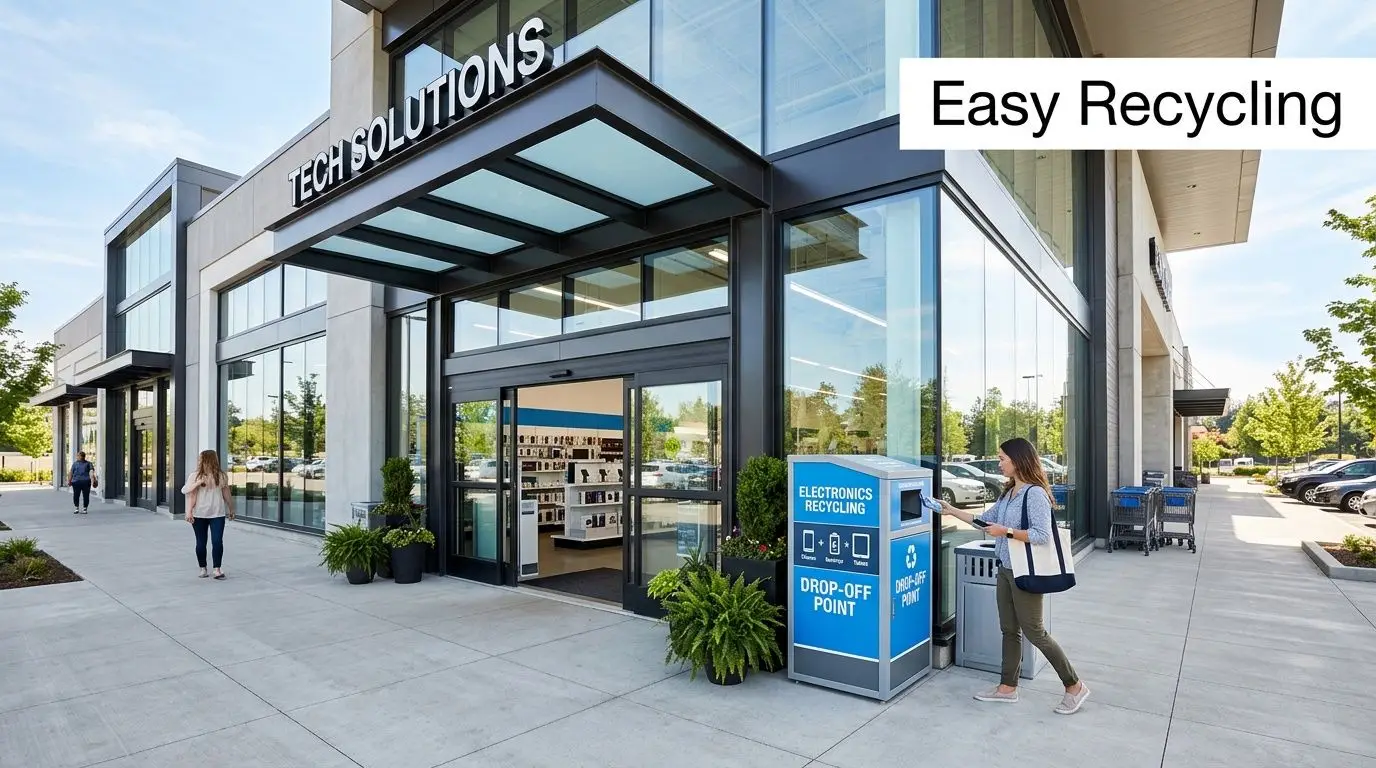
For a household, the process is simple. You bring in accepted devices, use a mail-in option for certain product categories, or arrange haul-away for some large items tied to a purchase. Trade-in is also available for products that still hold resale value.
That model works well for a person clearing out a closet or replacing a home office printer. It works far less well for an IT manager retiring laptops from a sales team, rotating monitors across multiple sites, or disposing of failed drives from a server room.
Best Buy’s public program information also shows the consumer framing clearly. The company sets household item limits, accepts a wide range of common electronics, and applies category or state-specific restrictions. That tells you exactly what the service is designed to do. It is designed to make basic public drop-off easy.
Here is the plain-English version of the workflow:
- A customer identifies an item the program accepts
- The item is dropped off in-store, mailed in if eligible, or removed through a haul-away service in limited cases
- Best Buy routes the material into its recycling or trade-in stream
- The customer gets convenience, not an asset-level disposition record
That last point is the line businesses cannot ignore.
A consumer recycling program answers a basic operational question: where can we take unwanted electronics? A business disposal process must answer harder questions. Which assets were transferred. Which serial numbers were received. Who signed for them. What happened to data-bearing devices after intake. What records exist if legal, audit, security, or procurement asks for proof months later.
If you want a practical overview of downstream processing, start with what happens to recycled electronics after collection. That is the right question to ask before any company asset leaves your custody.
Best Buy can be a useful outlet for a few low-risk, non-data-bearing items. It is not an asset retirement system for an organization that needs documented intake, controlled logistics, and defensible records. That is a key difference IT managers need to understand before they treat retail recycling as an enterprise disposal plan.
The Critical Data Security Gap in Retail Recycling
For a business, the central issue isn’t recycling. It’s data destruction.
The public information available for Best Buy’s recycling program doesn’t provide what enterprise customers need most. A critical review of the program information shows no public details about certified data destruction processes, chain-of-custody documentation, or compliance with standards like R2 or e-Stewards that enterprises require, as noted in Best Buy’s recycling FAQs.
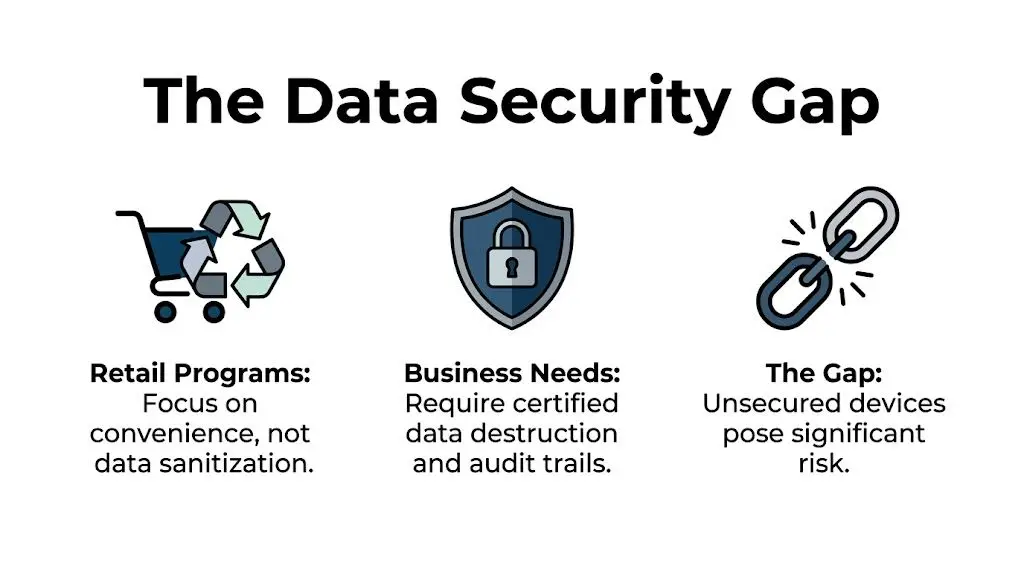
That gap should stop every IT manager cold. If the process isn’t documented, you can’t defend it in an audit, a breach review, a legal hold, or a vendor risk assessment.
A retail wipe is not the same as certified destruction
Some organizations assume a quick device reset or software wipe is enough. It isn’t, unless the process is controlled, validated, and documented. Businesses need evidence tied to the specific assets they retired.
That usually means questions like these:
- Which serial numbers were received
- Which drives were sanitized
- What method was used
- Who maintained possession
- Whether failed drives were physically shredded
- What certificate was issued
Retail programs generally don’t hand over that level of proof at intake. That’s the difference between convenience and defensibility.
Businesses shouldn’t rely on “it was probably wiped.” They need records that show the asset was sanitized or destroyed under a defined process.
Why regulators care about proof
The FTC Disposal Rule isn’t satisfied by good intentions. Neither are internal security policies, cyber insurance questionnaires, customer contracts, or sector-specific retention and destruction requirements. Healthcare, finance, legal, education, and government teams all face the same basic burden. If sensitive data leaves the building on an old drive, laptop, copier, or server, the organization is still responsible for what happens next.
A retail recycling counter doesn’t usually function as an auditable control point. It functions as a collection point.
That distinction matters because data-bearing devices fail in messy ways. SSDs can’t be treated like paper records. Damaged hard drives often can’t be wiped successfully. Network appliances, printers, copiers, and medical equipment may hold hidden storage that employees miss during cleanup.
The documentation businesses actually need
An enterprise-grade process typically includes formal intake, asset identification, secure transport, sanitization records, exception handling, and final reporting. Without that, your disposal process depends too much on assumptions.
If your team is evaluating vendors, start with the exact methods used for data sanitization. Ask whether the provider can document software wiping, physical destruction, and failed-drive handling by asset class. If they can’t answer clearly, keep looking.
Here’s the blunt recommendation. Never send business laptops, servers, hard drives, SSDs, phones, copiers, firewalls, or any other data-bearing equipment into a retail recycling stream unless the data has already been destroyed under your own controlled process. For most organizations, that means using a certified ITAD partner instead of a store drop-off.
Navigating Compliance and Liability Risks
Retail recycling creates a dangerous illusion for business users. The handoff feels official, but liability does not disappear because equipment changed locations. Your company still owns the risk until you can prove who took custody of each asset, how it was handled, and where it ended up.
For an IT manager, that is the dividing line between a consumer recycling program and certified ITAD. Consumer programs accept material. Enterprise disposition processes document control.
Chain of custody is the liability shield
Chain of custody is not administrative paperwork. It is the evidence trail that protects your business during audits, investigations, contract reviews, and insurance disputes.
If your only record is that someone dropped equipment off at a store, you do not have defensible disposal documentation. You have an anecdote. That will not satisfy a customer with security terms in a master services agreement, a regulator reviewing data handling, or legal counsel responding to a breach claim.
A usable chain-of-custody record should show:
- Asset identification tied to serial numbers, internal tags, or both
- Transfer records showing who released the equipment and who received it
- Transport documentation showing how material moved offsite
- Exception handling for missing, damaged, or nonfunctional devices
- Final disposition records showing resale, recycling, sanitization, or destruction
Compliance failures usually start with missing records
The compliance problem is rarely dramatic at first. It starts with gaps. A laptop is listed on an internal spreadsheet but not on the final vendor report. A failed SSD is removed from a batch and no one records why. A copier leaves a branch office and nobody captures the embedded drive as a separate data-bearing asset.
Those gaps become legal and contractual exposure fast. Privacy obligations, sector-specific retention rules, public-sector procurement standards, and customer data protection clauses all depend on proof. If you cannot map an asset from release to final disposition, your control failed.
Environmental liability has the same pattern. Downstream processing matters, but documented downstream accountability matters more. Brand recognition does not replace due diligence. Use a formal vendor due diligence checklist for ITAD providers before you approve any disposal channel.
A practical side note. Businesses that are already struggling with overflow rooms, decommission staging, or temporary equipment holding areas should also tighten physical storage controls before pickup. Basic operational discipline matters, and resources like Top Storage Solutions for Business Success can help facilities teams reduce exposure while assets wait for removal.
What businesses should require before approval
Ask for records, not promises.
| Document | Why it matters |
|---|---|
| Asset inventory record | Proves what left your site |
| Chain-of-custody log | Proves who controlled each asset |
| Data destruction certificate | Proves sanitization or destruction occurred |
| Recycling or disposition certificate | Proves the final processing outcome |
| Exception report | Proves problem assets were tracked and resolved |
If a provider cannot produce those records consistently, do not use them for business equipment disposal. Consumer recycling may be acceptable for household electronics. It is a poor control for corporate assets, regulated devices, and anything tied to customer or employee data.
Logistics and Scalability Challenges for Businesses
Even if you set aside security and compliance, the logistics alone make retail recycling a poor fit for most companies.
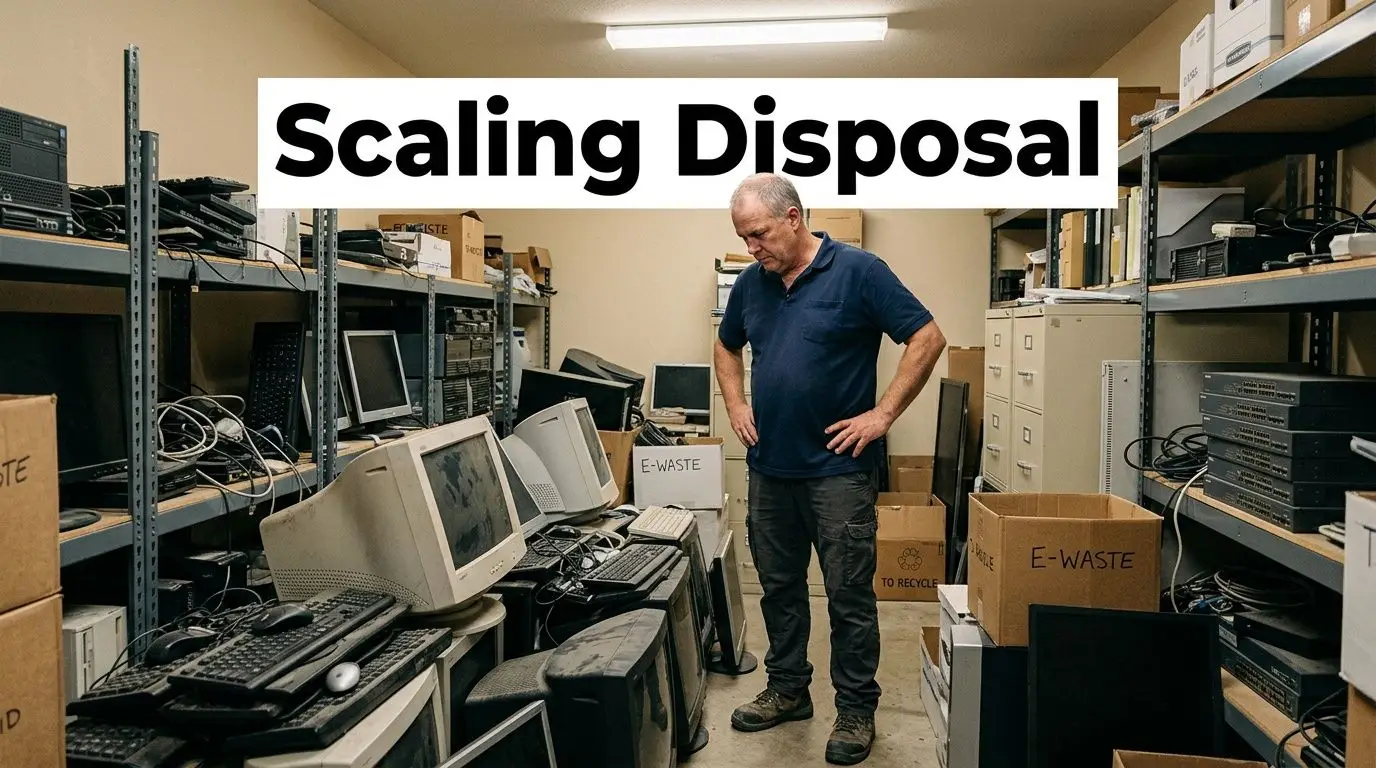
Best Buy does offer haul-away, but its documented process is aimed at residential customers buying replacement products. There’s no documented process for coordinated bulk pickups, multi-site logistics, or scheduled de-installations for enterprises, data centers, or healthcare facilities disposing of equipment at scale, according to Best Buy’s haul-away program description.
The office refresh problem
A small office refresh can produce stacks of laptops, docks, monitors, phones, access points, and failed drives in one week. A data center cleanup can produce pallets of servers, rails, switches, PDUs, and loose media in one day.
That material needs staging, packing, labeling, secure loading, and transport planning. It often needs palletization, shrink wrap, serialized inventory capture, and timed pickup windows so the business doesn’t tie up staff or leave hardware exposed in hallways and storage rooms.
For facilities teams trying to organize temporary holding areas before pickup, practical planning matters. Even a general guide like Top Storage Solutions for Business Success is useful because it highlights the operational reality many companies ignore. Storage without process quickly turns into asset loss, damage, and confusion.
Hidden cost sits inside employee time
Retail drop-off looks cheap because the invoice is small or nonexistent. The actual cost shows up elsewhere.
- Staff diversion: IT employees spend hours sorting, loading, driving, unloading, and documenting manually.
- Security exposure: Equipment may sit unsecured while the team figures out transport.
- Incomplete inventory: Items leave without clean asset reconciliation.
- Broken workflow: One department owns retirement, another owns transport, and nobody owns final proof.
That’s inefficient for a few devices and unworkable for a large decommission.
What scalable disposal looks like
A business-ready process should support scheduled pickup, site coordination, serialized inventory, secure transportation, and reporting that matches what left each location. It should also handle unusual categories such as rack equipment, storage arrays, copiers, point-of-sale hardware, and mixed pallets from mergers, closures, or relocations.
Retail recycling works when the volume is small, the items are low risk, and the organization doesn’t need formal controls. Once volume, sensitivity, or geography increases, the model breaks.
Best Buy Recycling vs Certified ITAD A Comparison
Businesses get in trouble when they treat a consumer recycling program like a disposal policy. Best Buy is built for public convenience. Certified ITAD is built for control, documentation, and risk reduction. Those are different jobs.
As noted earlier, Best Buy offers a well-known retail recycling option. That does not make it a business-grade disposition process. A certified ITAD provider handles retired assets as controlled material, not as miscellaneous drop-off items. The difference shows up in the records, the security steps, and what you can prove later.
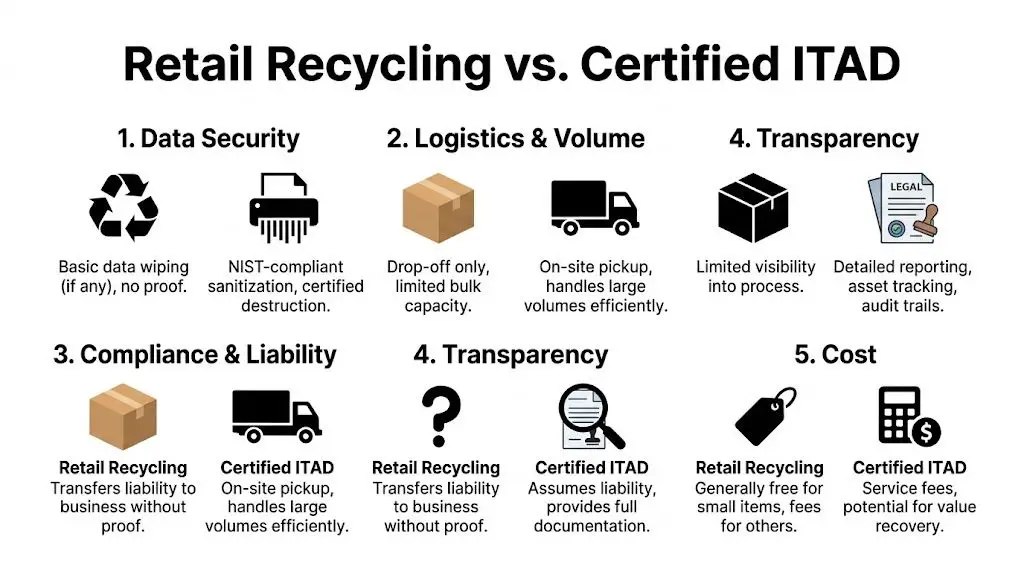
Retail recycling vs certified ITAD for businesses
| Feature | Best Buy E-Recycling | Certified ITAD Provider (e.g., Beyond Surplus) |
|---|---|---|
| Data security | Consumer intake model. Public-facing program details do not show enterprise destruction records tied to each asset. | Serialized sanitization and destruction workflows with formal reporting for business assets. |
| Chain of custody | Limited visibility for corporate audit purposes. | Documented custody from pickup through processing and final disposition. |
| Compliance support | Weak fit for regulated environments that need defensible records. | Supports policy enforcement, audit response, and documented control points. |
| Logistics | Store drop-off and limited consumer-facing options. | Pickup, packing support, deinstallation, freight coordination, and multi-site project handling. |
| Value recovery | Trade-in applies to selected devices, not full fleet retirement strategy. | Asset triage, remarketing, and reporting built around business refresh cycles. |
| Liability position | Harder to defend without asset-level records. | Stronger because sanitization, destruction, and downstream handling are documented. |
The criteria that actually decide this
Use retail recycling only for low-risk accessories with no storage, no regulated data exposure, and no reporting requirement. Cables, broken keyboards, and similar peripheral waste fit that category.
Use ITAD for anything that could create audit, privacy, or asset-tracking problems later. That includes laptops, desktops, servers, phones, tablets, networking gear, printers with storage, loose drives, and mixed batches from office cleanouts.
A simple rule works well:
- Any data-bearing device: Use ITAD.
- Any bulk refresh or site closure: Use ITAD.
- Any multi-location retirement project: Use ITAD.
- Any regulated or audit-sensitive environment: Use ITAD.
- Any asset with resale potential: Use ITAD.
Retail recycling solves convenience. ITAD solves accountability.
If your team needs a clearer baseline, review what IT asset disposition involves for business equipment before you choose a disposal channel.
My recommendation
Do not build your company’s retirement process around Best Buy. Use it only for occasional, low-value, non-data items if your policy explicitly allows that path.
For everything else, choose a certified ITAD partner. If you need proof of sanitization, chain of custody, serialized reporting, pickup coordination, or value recovery, the retail model is the wrong tool. IT managers should treat that as a hard line, not a judgment call.
Your Action Plan for Secure Electronics Disposal
If your company has been treating disposal as an afterthought, fix that now. A simple operating procedure will eliminate most of the avoidable risk.
Start with inventory and separation
Create a list of every end-of-life asset before anything moves. Include laptops, desktops, servers, storage, networking gear, phones, printers, copiers, tablets, external drives, and loose media. Then separate data-bearing devices from non-data items.
That one step changes everything. It tells your team what requires sanitization or shredding, what might have resale value, and what can go into standard recycling streams.
Vet the disposal partner like a security vendor
Don’t pick a recycler the same way you’d pick office supplies. Ask for documentation. Ask how assets are tracked. Ask what happens when a drive fails wiping. Ask who transports the material and what reports you receive at the end.
Your internal checklist should include these points:
- Security method: software wiping, physical shredding, or both
- Documentation: chain of custody, certificates, serialized reporting
- Logistics: pickup capability, packing support, multi-site coordination
- Downstream controls: who handles final processing and how it is verified
Build a repeatable process
Most disposal failures happen because the process changes every time. One branch manager drops off devices locally. Another stores them in a closet. A third ships them without inventory. That inconsistency creates exposure.
Standardize these decisions:
- Who approves disposition
- Who inventories assets
- Who signs transfer paperwork
- Which assets must be shredded
- Where certificates are stored for audit purposes
Wipe what you control before pickup
If your internal team has the ability to sanitize devices before release, do it under policy and record the action. If not, hold the assets securely until the disposal partner takes custody.
For teams that need a practical reference, how to completely wipe a hard drive is the right starting point. Use it as part of a broader documented process, not as a substitute for one.
The bottom line is simple. Don’t let a consumer recycling habit become a business disposal policy. Retail recycling has its place. Enterprise electronics disposal needs security controls, logistics, documentation, and liability transfer.
If your organization needs secure, documented electronics recycling and IT asset disposal, contact Beyond Surplus. They provide business pickup, certified data destruction, ITAD services, and chain-of-custody reporting that fits real compliance requirements.