An Atlanta office cleanout usually starts with a normal business trigger. A lease is ending in Buckhead. A Midtown team is shrinking its footprint. An Alpharetta office is refreshing laptops, phones, docking stations, and old network gear that has piled up in storage closets for years.
That’s where many projects go sideways.
Facility teams often see desks, chairs, monitors, and file cabinets. IT sees something else entirely. Retired endpoints, forgotten backup drives, printers with stored jobs, decommissioned firewalls, and servers that still hold sensitive data. A proper office cleanout has to handle both realities at once. If you treat it like junk hauling, you risk losing resale value, breaking chain of custody, and creating a compliance problem that lasts longer than the move itself.
For Atlanta businesses, the cleanest projects are the ones run like an ITAD engagement with facilities coordination built in. That means asset control, documented disposition paths, secure transport, and proof of destruction or recycling at the end.
Why Your Next Atlanta Office Cleanout Needs a Security-First Approach
A messy office doesn’t just look bad. It affects how people work in it. According to ISSA workplace cleanliness research, 88% of employees report that workplace cleanliness directly impacts their productivity, while 94% say it influences their happiness at work. When old electronics, dead peripherals, and unused equipment stack up in offices and storage rooms, they drag down both.
The hidden risk isn’t the furniture
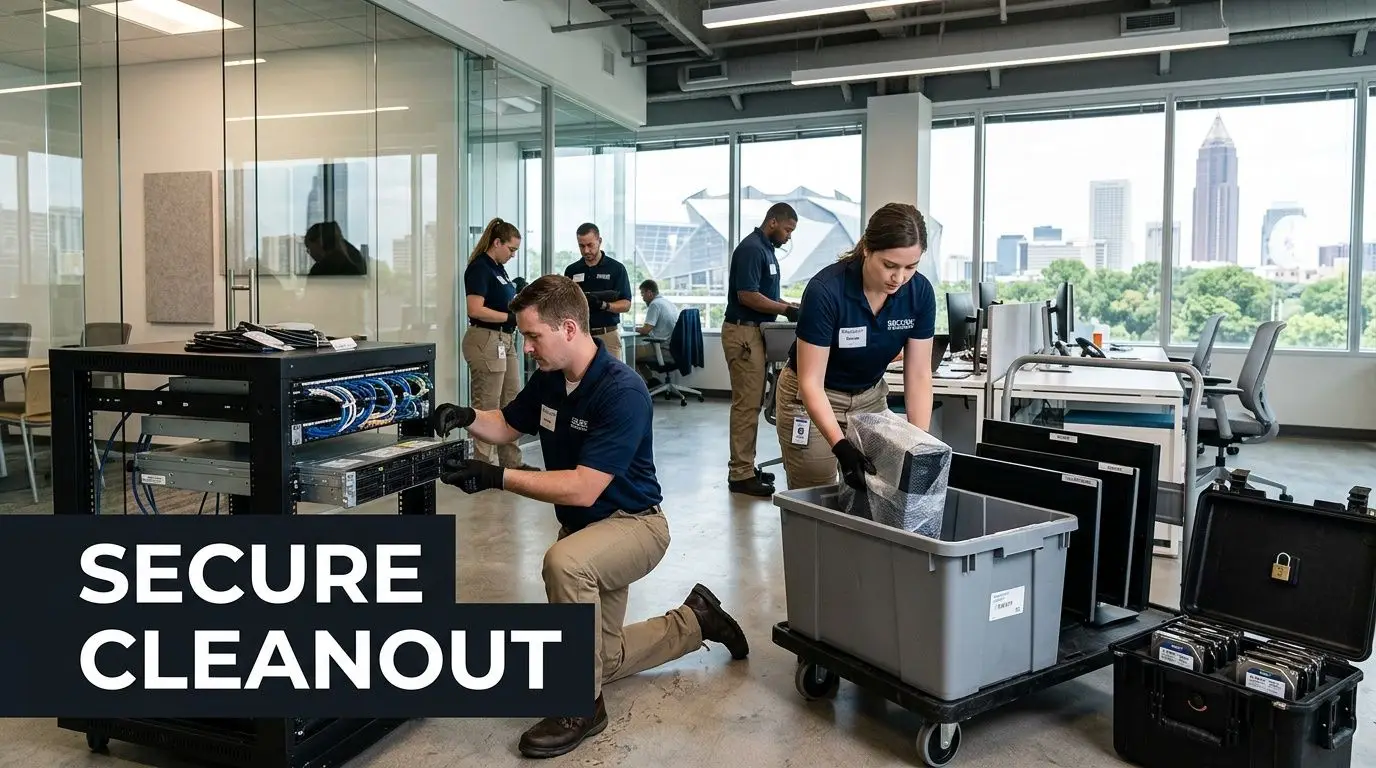
In a first major office cleanout, most managers focus on visible bulk. Cubicles, conference tables, reception furniture, and archived paper get attention first. Significant exposure usually sits in less obvious places:
- Stored laptops that were never properly retired
- Hard drives and SSDs pulled from old workstations
- Copiers and printers with internal storage
- Network appliances retired after an upgrade
- Server room leftovers from a previous migration
Those assets can’t go into a general recycling pile. They need a documented destruction plan and a controlled handoff. If your internal policy requires audit support, a standard junk crew stops being enough, and a secure ITAD process becomes necessary. Teams that need that layer often start by reviewing their secure data destruction services options.
Old IT doesn’t become low-risk just because it’s unplugged.
Cleanout scope has changed
Ten years ago, an office cleanout was mostly a facilities job. Today it touches privacy rules, procurement records, finance approvals, and sometimes legal hold requirements. Healthcare groups, banks, schools, and public agencies already know this. Private companies going through their first structured cleanout often learn it the hard way.
What works is a security-first mindset from day one. Walk the office with facilities and IT together. Flag every room with electronics. Identify who can approve disposition. Lock down who’s allowed to touch data-bearing assets. If a pallet leaves the building and nobody can say exactly what was on it, the project wasn’t under control.
Strategic Planning Your Compliant Cleanout Project
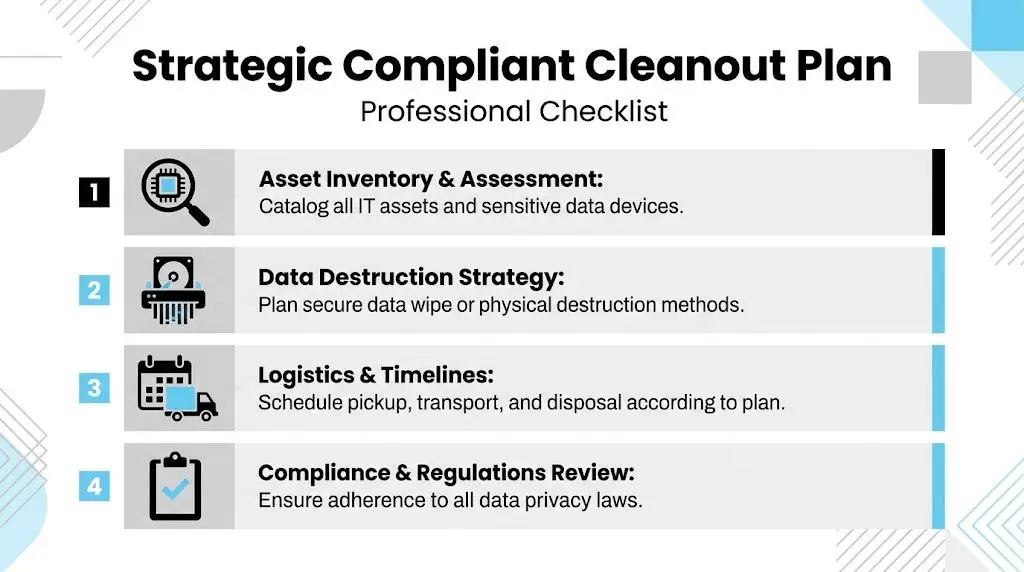
The planning phase decides whether your office cleanout feels organized or chaotic. Good teams don’t start by carrying things out. They start by defining what’s leaving, what’s staying, who owns the decision, and what documentation will be required when it’s over.
Build the project team early
A cleanout with furniture, records, and IT assets needs more than one department. At minimum, assign decision-makers from IT, facilities, and finance. If the office has regulated data, involve compliance or legal before pickup dates are set.
The strongest project lead is usually the person who can resolve conflicts quickly. That may be a facilities manager for a relocation, or an IT manager for a refresh tied to hardware retirement. Either works, as long as ownership is clear.
Define disposition paths before anyone starts sorting
This is the point most first-time projects miss. Teams begin making piles without agreeing on what each pile means. That leads to laptops in donation stacks, docking stations in trash bins, and network gear mixed with scrap metal.
Use four categories and apply them consistently:
- Reuse for items still needed internally, such as spare displays, task chairs, or recently redeployed accessories
- Resale for equipment with secondary market value, especially business-grade laptops, servers, and networking hardware
- Recycle for end-of-life electronics, mixed metal, and materials that belong in downstream processing
- Destroy for data-bearing assets or branded items that require secure destruction rather than reuse
According to office cleanup planning guidance, professional cleanout services can achieve up to 80% reuse, recycle, or donate rates when items are separated into categories during planning.
Build the inventory around risk, not just volume
A cleanout inventory doesn’t need to be elegant. It needs to be usable. If your team already has asset records in a CMDB or procurement system, pull a working list from there. Then verify it physically.
Track practical fields such as:
| Item type | Example | What to note |
|---|---|---|
| Data-bearing device | Laptop, server, copier drive | Serial number, owner, destruction method |
| Resalable IT | Switch, firewall, monitor | Model, condition, power status |
| Furniture | Desk, filing cabinet, shelving | Quantity, floor location, reuse or removal |
| Mixed material | Cables, scrap metal, adapters | Weight estimate, recycling stream |
Practical rule: If an item can store data, treat it as sensitive until someone with authority proves otherwise.
Schedule around business interruption
Office cleanouts fail when they’re scheduled like an afterthought. Freight elevators, dock access, building certificates, after-hours rules, and final walkthrough requirements all affect timing. So do employee communication and departmental sign-off.
If your cleanout is tied to a move, it helps to study how relocation teams minimise downtime during your office move. The location is different, but the operational logic is the same. Sequence work so critical functions stay online until their approved cutover.
A practical sequence usually looks like this:
- Survey the space and confirm volumes by room
- Tag IT assets that need wiping, shredding, resale, or hold
- Confirm building logistics such as dock windows and elevator reservations
- Stage pickup zones so sensitive items never sit in open common areas
- Review vendor controls with a documented vendor due diligence checklist before collection starts
A compliant office cleanout looks slower on paper than a dump-and-haul job. In practice, it’s faster where it matters. Fewer disputes, fewer missing assets, and fewer surprises after the office is already empty.
Executing the Physical Sort and Segregation
When cleanout day arrives, physical control matters more than speed. Teams lose assets when everything becomes one pile. They also lose time when staff keep asking where things belong. The simplest fix is to build visible zones and make the rules obvious before the first item moves.
Set up zones people can understand at a glance
Use separate areas with printed signs, floor tape, and one owner for each zone. Don’t rely on verbal instructions alone. Movers rotate, employees multitask, and assumptions creep in fast.
A practical floor setup often includes:
- Keep zone for anything staying in service or moving to the new office
- Resale and redeployment zone for equipment that still has business value
- General recycling zone for non-sensitive electronics and material streams
- Furniture removal zone for desks, shelving, and fixtures approved for pickup
- Secure IT zone for all laptops, drives, servers, phones, copiers, and network gear pending destruction or controlled processing
The secure IT zone should never sit near loading docks or employee break areas. Put it in a badge-controlled room or behind temporary access control if the office is already partially vacant.
Label by outcome, not by object
“Monitors here” is less useful than “Ready for resale test” or “Awaiting serialized scan.” The first label describes what the item is. The second tells the team what happens next.
That distinction keeps projects moving. It also prevents expensive mistakes, like dropping a working notebook into a shred stream or letting a data-bearing MFP roll out with scrap furniture.
Use simple labels such as:
- Awaiting audit
- Approved for pickup
- Needs manager review
- Data device hold
- Ready for recycling
- Ready for destruction
If your crew can’t tell the difference between scrap and controlled material from ten feet away, the zone design needs work.
Give employees one deadline and one process
Open-ended cleanouts drag. People keep reclaiming old equipment, asking for exceptions, and dropping mystery boxes into the wrong area. Give departments a firm review window, then close it.
A clean approach is to ask each department to do three things before the physical sweep:
- Identify business-critical items that must remain in service
- Confirm ownership gaps on unlabeled devices or shared equipment
- Remove personal effects from desks, drawers, and lockers
After that point, route exceptions through one project lead. Too many approvers turn a cleanout into an argument.
Watch the mixed spaces
The highest-error areas are usually copy rooms, server closets, reception storage, and training rooms. They accumulate half-retired devices that nobody formally decommissioned. Check drawers, credenzas, under-desk mounts, and locked cabinets. That’s where old access points, backup media, and loose drives tend to hide.
This is also where facility and IT teams need to stay aligned. Furniture removal often starts before IT has finished checking under worksurfaces or behind conference displays. Once bulk hauling begins, recovery gets harder.
A strong office cleanout isn’t just organized. It’s controlled. Every item should move from one known state to another, with no ambiguous middle ground.
Secure Data Destruction and Chain of Custody
A cleanout turns risky the moment retired devices leave controlled hands without records. One unlabeled laptop, copier hard drive, or loose SSD can create a reportable problem long after the office is empty. For Atlanta companies and multi-site organizations alike, this is the part of an office cleanout where general junk removal stops being enough and ITAD controls have to take over.
Match the destruction method to the asset and the policy
The method should follow the business goal for the device.
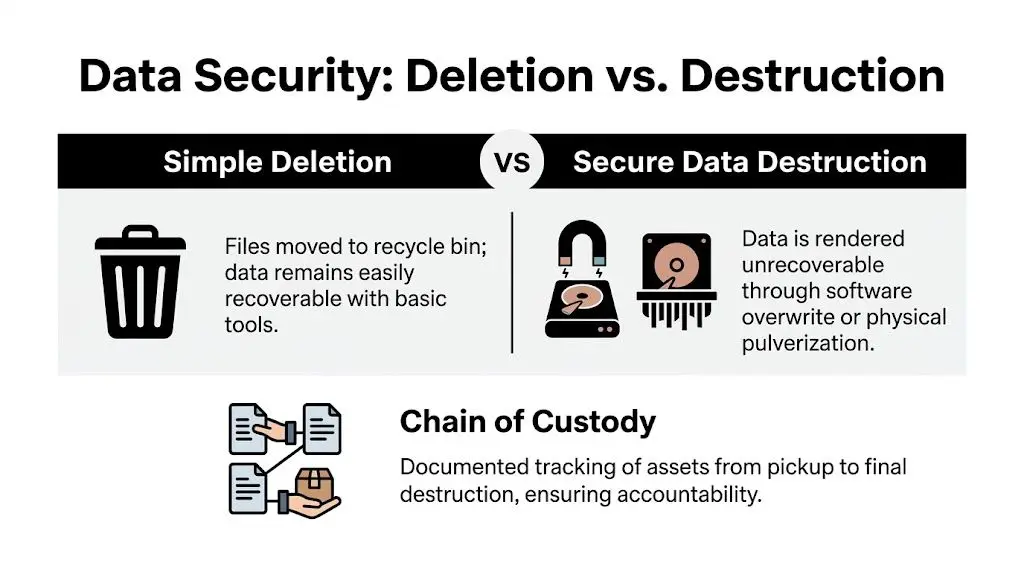
Data wiping fits assets that may be reused, redeployed, or sold. It preserves value, but only if the process is verified, tied to the correct serial number, and accepted under your internal policy and regulatory obligations.
Physical shredding fits failed drives, obsolete storage, and media from regulated environments where reuse is off the table. It removes resale potential, but it also removes uncertainty. For many legal, healthcare, and finance teams, that trade-off is the right one.
Degaussing still has a place with some magnetic media, but it is less useful in mixed office environments full of SSDs, flash storage, and newer device types. In practice, many office cleanouts standardize on wiping for reusable equipment and shredding for everything else.
Chain of custody proves control at every handoff
Data destruction is only half the job. The other half is proving who had the asset, where it went, and what happened to it.
That matters for internal audits, cyber insurance questions, customer contract reviews, and regulatory response. If a device disappears between the office floor and the processor, there is no clean explanation later.
A sound chain of custody usually includes:
- Asset identification by serial number, tag, or other unique record
- Logged pickup or staged intake with counts that match the removal plan
- Documented handoffs between office staff, movers, drivers, and processors
- Status tracking for wipe, shred, hold, test, or resale review
- Final disposition records that match the original intake list
The same source notes that up to 40% of DIY cleanouts fail compliance audits because of unverified data destruction.
Use extra care if furniture crews or professional office removalists are involved on the same day as IT removal. They may be excellent at clearing space, but they are not usually responsible for serialized intake, data handling, or HIPAA and FTC documentation. Keep IT assets on a separate chain of custody from desks, fixtures, and general surplus.
Your exposure ends when the records show final disposition was completed under control.
Decide where destruction should happen
On-site destruction makes sense when your policy requires witness visibility, your leadership team wants immediate confirmation, or the media is sensitive enough that nobody wants it transported intact. It gives stakeholders confidence, but it also adds scheduling pressure, loading constraints, and building access issues.
Off-site destruction works well for larger volumes and centralized processing. The trade-off is simple. Transport controls and intake documentation have to be tight enough to stand up to scrutiny.
Here is the practical breakdown:
| Method | Best use | Main trade-off |
|---|---|---|
| On-site shredding | Sensitive media, witness requirement, immediate confirmation | More coordination with site access, timing, and equipment placement |
| Off-site shredding | Larger batches, centralized processing, lower on-site disruption | Strong transport logging and intake verification are required |
| Wiping for reuse | Devices with resale or redeployment potential | Verification has to be tied to the exact asset record |
Beyond Surplus documents completed processing with a certificate of destruction for retired IT assets.
Keep operations, compliance, and security in one workflow
First-time office cleanouts often split into separate priorities. Facilities wants the floor cleared. IT wants asset control. Finance wants recovery. Legal wants documentation that will hold up if an issue surfaces later.
The fix is operational, not theoretical. Put one owner over the chain of custody, require disposition records before anything is marked complete, and do not treat “removed from site” as the finish line.
If a device cannot be matched to a final record, the office may be empty, but the cleanout is not finished.
Maximizing Value Recovery and Arranging Logistics
A lot of companies budget for an office cleanout as a pure expense. That’s understandable if they’re looking at obsolete furniture, cable scrap, and broken peripherals. But that mindset leaves money on the table when the project includes recent business hardware.
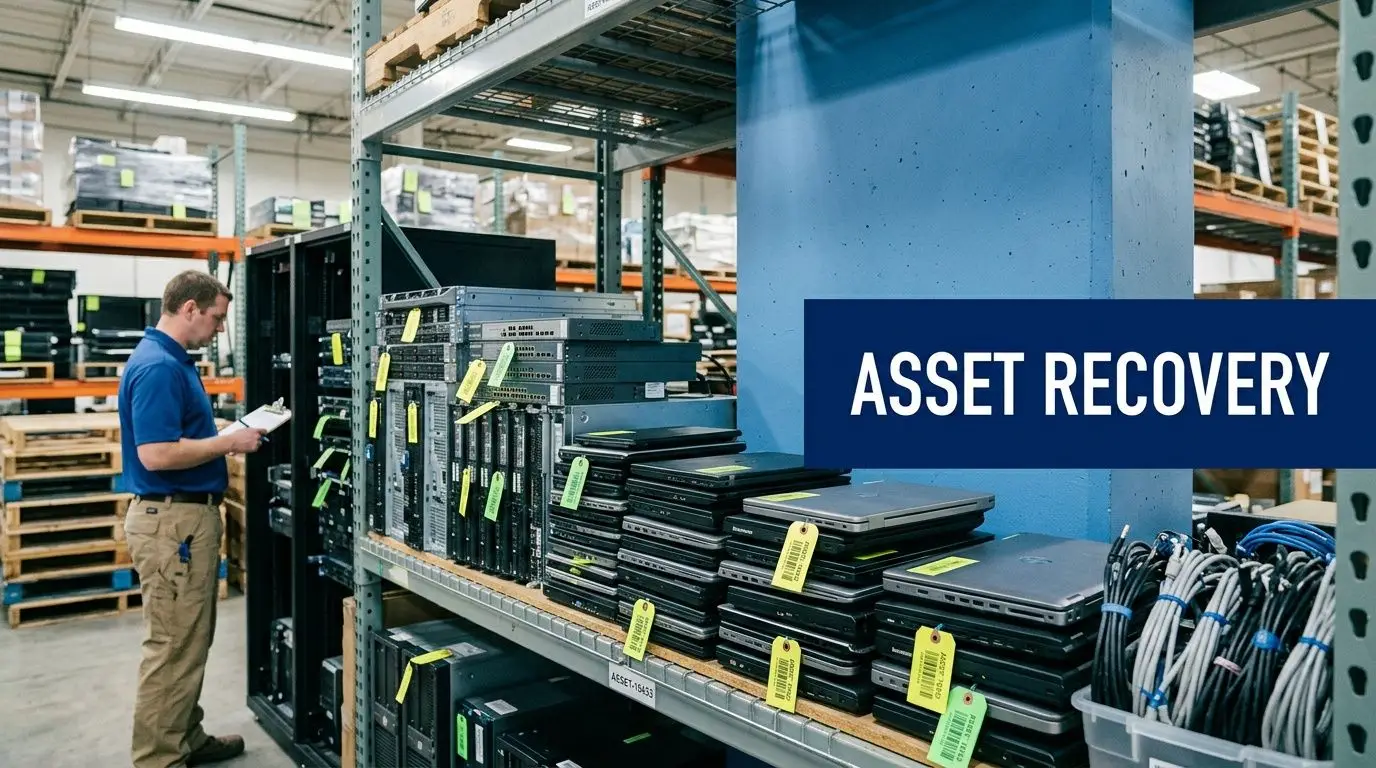
Some retired IT is still an asset, not waste
During office cleanouts, reselling functional IT equipment through a buyback program can recover 20-50% of original value. For companies replacing fleets of laptops, clearing branch offices, or de-installing server rooms, that changes the economics of the whole project.
The catch is that value recovery only works when the workflow supports it. Devices need to stay intact, model details need to be captured, and data destruction has to be done in a way that preserves remarketing potential where policy allows.
Know what usually holds value
Not every item is worth testing. But several categories commonly merit review before they go into a recycle stream.
- Recent-model laptops with business specs and power adapters
- Enterprise servers with useful processor and memory configurations
- Networking gear from recognized commercial lines
- Business monitors in good cosmetic condition
- Mobile devices that are ready for repurposing and company-owned
By contrast, damaged accessories, very old displays, worn low-end desktops, and mixed unsorted cable boxes usually belong in recycling, not appraisal.
Logistics should match the asset path
A value-recovery cleanout needs a different pickup rhythm than a bulk furniture haul. Sensitive IT should be scanned, packed, and segregated early. Commodity furniture can move on a different timetable. If everything goes on one truck without controls, you lose traceability and often lose resale condition too.
This is one place where lessons from professional office removalists are useful. The strongest move plans separate critical items from general office contents and protect them accordingly. The same principle applies in ITAD logistics.
A practical logistics plan usually answers these points:
- Pickup scope by location, floor, and asset type
- Packaging method for laptops, loose drives, and rack equipment
- Dock and elevator requirements at each facility
- Staging order so sensitive assets leave under supervision
- Reporting cadence for received, tested, and dispositioned items
Treat Atlanta as one node in a bigger footprint
Many office cleanouts aren’t just one Atlanta site. They’re a headquarters project plus remote offices, clinics, campuses, or distribution locations. In that case, standardization matters more than speed at any one address.
The cleanest multi-site projects use one disposition policy, one labeling standard, and one reporting format across every pickup. That’s especially important when some assets are headed for destruction and others for resale. If branches improvise, headquarters ends up reconciling exceptions after the fact.
Teams in Georgia that want to evaluate remarketing often start with asset recovery services in Georgia. The important step isn’t the quote itself. It’s getting a realistic separation between what should be sold, what should be recycled, and what must be destroyed.
The best value-recovery projects don’t chase every dollar. They identify the equipment worth controlling carefully and move the rest through the right downstream channel without delay.
An office cleanout should clear space, reduce risk, and recover value where it exists. If you only optimize for disposal speed, you usually miss one of the other two.
Finalizing the Project and Ensuring Future Compliance
An office cleanout isn’t finished when the floor is empty. It’s finished when the documentation package is complete, the final dispositions are clear, and your team can answer follow-up questions without reconstructing the project from email threads.
Close the loop with the right records
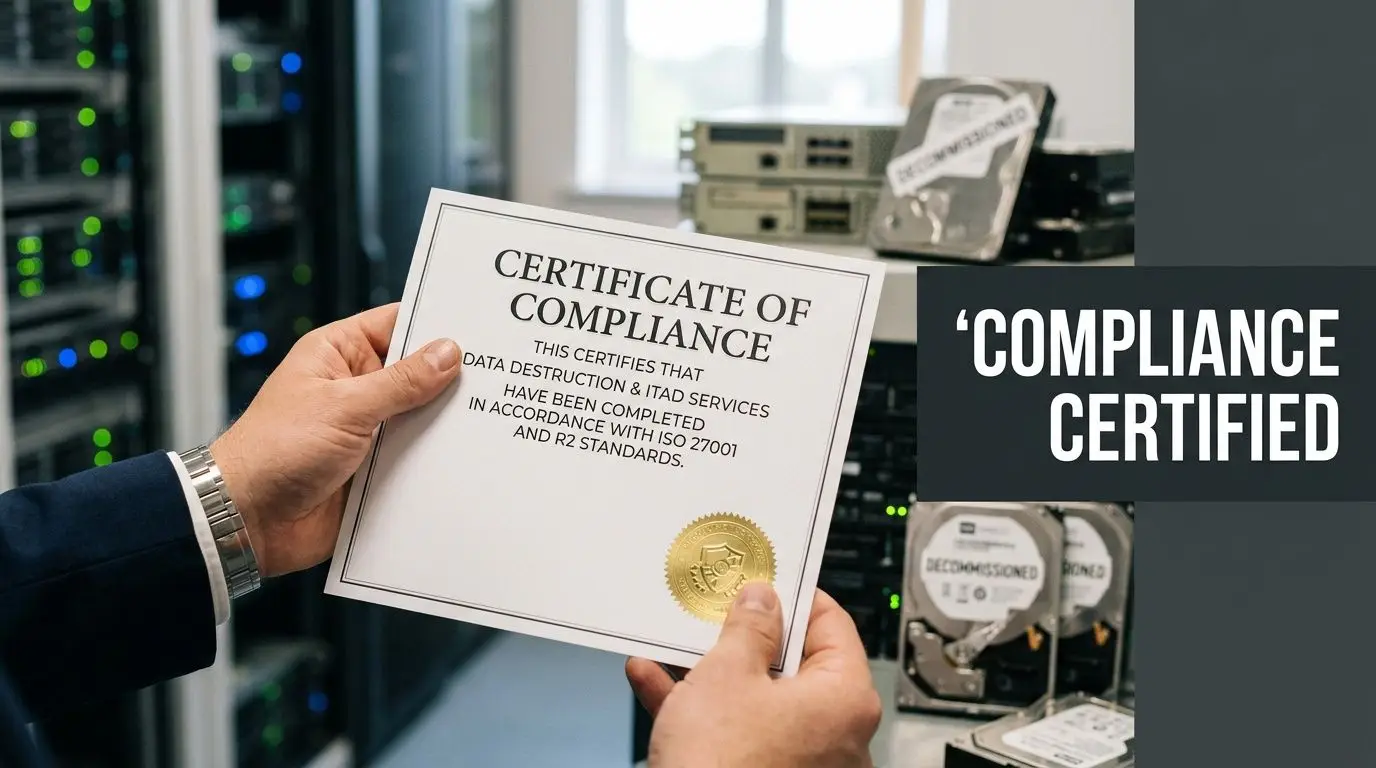
For data-bearing equipment, your key record is usually the destruction report and certificate package. For recycled material, it’s the recycling documentation tied to what was received and processed. For resale, it’s the asset list and financial reconciliation.
These aren’t just receipts. They support audit response, internal policy enforcement, and liability transfer. If your security team, finance team, or an outside assessor asks what happened to a retired batch of equipment, these records should answer that immediately.
Use the project to fix the next one
A big office cleanout exposes process gaps. Maybe procurement never closed assets properly. Maybe departments stored old laptops without a retirement workflow. Maybe facilities had no escalation path for abandoned electronics. Those are useful findings if you turn them into policy changes.
Keep the follow-up practical:
- Create a standing retirement process for endpoints, printers, and network gear
- Assign one owner for surplus equipment staging at each site
- Schedule periodic reviews so storage rooms don’t become unofficial graveyards for old IT
- Align sanitization policy with NIST SP 800-88 standards and internal data handling rules
A well-run cleanout should leave you with fewer surprises next quarter, not just more empty square footage this week.
Clean space supports operations too
Security is the most urgent issue in IT-heavy cleanouts, but the workplace benefit is broader. According to workplace safety and compliance data, health-related absenteeism from unclean offices costs $225.8 billion yearly in the U.S. Thorough cleanouts help by removing clutter, improving hygiene, and reducing the conditions that lead to lost work time.
That’s why the best office cleanout programs don’t happen only during moves or emergencies. They become part of routine asset management. Old equipment exits faster. Storage stays usable. Compliance documents stay current. Facilities and IT stop working at cross-purposes.
For an Atlanta office cleanout, that’s the standard worth aiming for. Not just an empty office. An office cleared with control, documented disposition, and fewer risks left behind.
Contact Beyond Surplus for certified electronics recycling, secure IT asset disposal, office cleanout support, and documented data destruction for Atlanta businesses and nationwide organizations.