You’re probably juggling two move plans at once. Facilities is focused on floorplans, furniture, access dates, and elevator reservations. IT is worried about servers, network gear, laptops, retired hardware, and what happens if one untracked drive leaves the building without a documented chain of custody.
That split is where many office moves go sideways.
Most office relocation companies are built to move physical assets efficiently. That matters. But for a modern business, the move succeeds or fails on whether users can work, systems come back online in the right order, and data-bearing devices are handled securely from day one.
Rethinking the Office Move Beyond Furniture and Fixtures
The office relocation industry is large because business mobility is constant. The global office relocation services market was valued at US$ 10.6 billion in 2022 and is projected to reach US$ 14.6 billion by 2032 at a 3.3% CAGR, according to corporate relocation market analysis from Coherent Market Insights. That scale tells you something important. Office moves aren't rare exceptions. They're a recurring operational event.
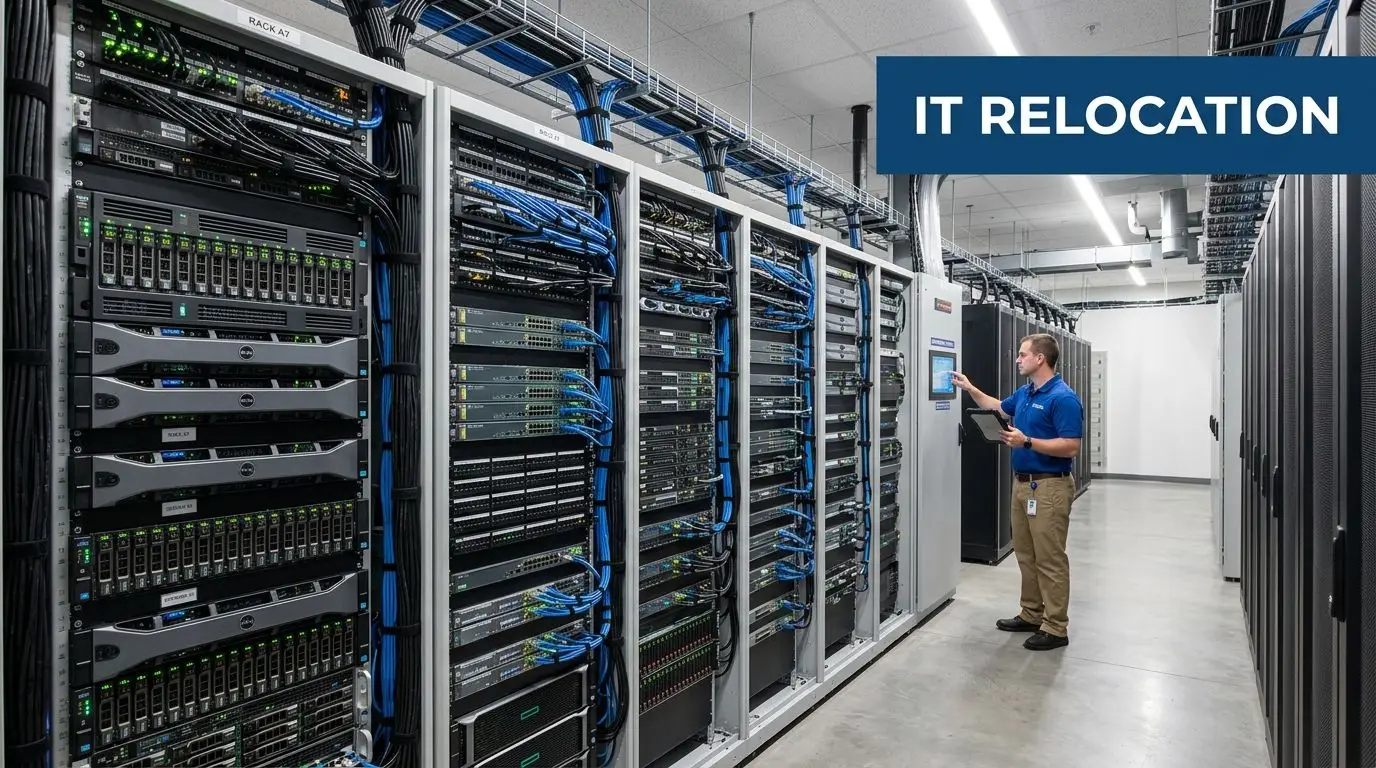
The real risk sits in your tech stack
Desks can be replaced. Lost data, broken chain of custody, and undocumented disposal create a different class of problem. During a move, every desktop, firewall, copier drive, storage array, and backup device has to fall into one of three buckets:
- Move and reconnect
- Retire and destroy data
- Hold for redeployment or resale
If you don't make those decisions early, surplus equipment piles up in hallways, active equipment gets mislabeled, and movers start handling devices that should have gone through an ITAD workflow.
A facilities manager usually sees the move as a space transition. An ITAD project manager sees it as an asset control event.
Practical rule: Treat every office relocation as a data-security project with a logistics component, not the other way around.
Why general move planning isn't enough
A lot of move checklists stop at packing labels, move-day sequencing, and vendor coordination. Those are useful. If you're also reworking the new space, a practical companion resource is this commercial space transformation guide, especially when paint, build-out timing, and occupancy readiness affect when IT can stage equipment.
But the harder problem is what leaves the old space and why.
Old monitors, docking stations, towers, printers, telecom gear, and rack equipment consume staging space fast. Clearing them before move week reduces confusion and opens room for the assets that need white-glove handling. That’s where a pre-move purge matters, particularly if you want to recycle old computers to reclaim valuable office space.
What success actually looks like
A strong relocation isn’t just “nothing broke.” It means:
- Critical systems are identified before packing starts
- Retired devices are removed through a documented process
- Employees know what happens to their equipment
- Compliance records exist before anyone asks for them
- The new site goes live without a hunt for missing adapters, drives, or asset tags
Office relocation companies can be valuable partners. But if they lead the project without a serious IT asset plan, they’re solving the visible half of the move and leaving the risky half to chance.
Building Your 6-Month Relocation Master Plan
Moves that feel chaotic on Friday usually started drifting six months earlier. Professional office relocation companies recommend a phased 4 to 6 month timeline, and structured planning can produce 30% cost savings compared with rushed moves, according to Crown Workspace’s office move planning guidance.
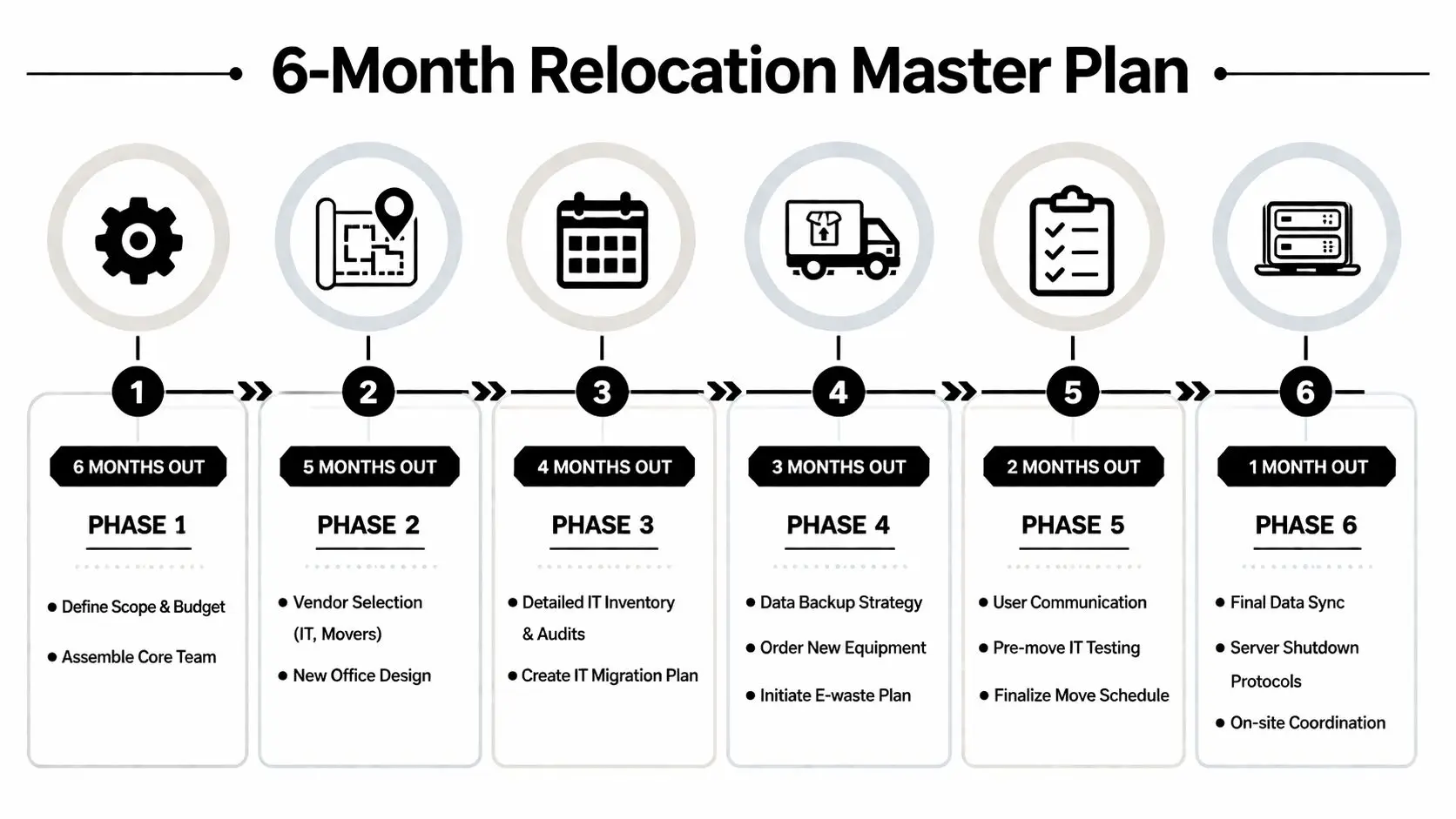
Months 6 to 5 set the rules
Start with a core team, not a giant committee. Facilities, IT, security, procurement, HR, and one finance owner are usually enough. Give each person a clear decision lane.
At this stage, lock down four basics:
- Scope
Which departments are moving, consolidating, or closing? - Asset categories
What’s active, what’s obsolete, and what’s undecided? - Business constraints
What can go down, and what absolutely can’t? - Vendor map
Which workstreams need a mover, cabling team, electrician, de-install crew, and ITAD provider?
This is also the right time to open a formal office relocation planning workflow for surplus technology so old assets don’t get mixed into active move inventory.
Months 4 to 3 decide the shape of the move
At this point, I usually see teams either gain control or lose it.
You need a detailed asset inventory, but not just a spreadsheet export from procurement. Walk the space. Verify what’s physically there. Match serial numbers where possible. Include closets, storage rooms, conference room carts, and printer areas. Those forgotten pockets are where unmanaged drives and unsupported devices often hide.
Use this phase to issue RFPs and compare vendors. For appearance work at the new location, some teams also schedule window washing for your relocation alongside final site prep so the space is presentation-ready before executive walkthroughs and employee return.
The best move plan is boring on purpose. Every exception gets surfaced early, assigned to a person, and given a date.
Months 2 to 1 prepare users and systems
By now, your plan should shift from strategy to exact sequencing.
Build these workstreams separately
User equipment stream
Laptops, monitors, docks, keyboards, desk phones, and peripherals.Infrastructure stream
Servers, switches, firewalls, storage, UPS units, and telecom hardware.Surplus stream
End-of-life devices, damaged hardware, and equipment that won’t be redeployed.Documentation stream
Labels, floorplans, seating maps, chain-of-custody forms, and cutover checklists.
Questions that expose weak planning
| Question | Why it matters |
|---|---|
| Which assets are mission-critical on day one? | It sets move order and recovery priority. |
| Which devices contain data? | It determines destruction, wiping, and custody rules. |
| What gets staged at the new site in advance? | It reduces move-day congestion. |
| Who approves final retirement decisions? | It prevents last-minute arguments over ownership. |
Budget for friction, not just the truck
A clean quote from office relocation companies rarely reflects the full burden of a real move. Hidden work appears in de-install labor, cable remediation, after-hours access, leased equipment handling, packing materials, and last-minute storage. Teams that only budget for transportation usually end up making bad decisions under time pressure, especially around old technology.
A realistic master plan gives IT enough time to separate what must move from what should be destroyed, recycled, or sold. That single distinction removes a lot of noise from the rest of the project.
Integrating Secure IT Asset Disposition The Critical Checklist
Most relocation content treats old equipment like a footnote. That’s a mistake. Many relocation guides fail to address IT asset disposition, even though 68% of businesses report data breach risks from improper IT disposal during relocations, and FTC Disposal Rule fines average $50,000, according to Suddath’s office moving and logistics services guide.
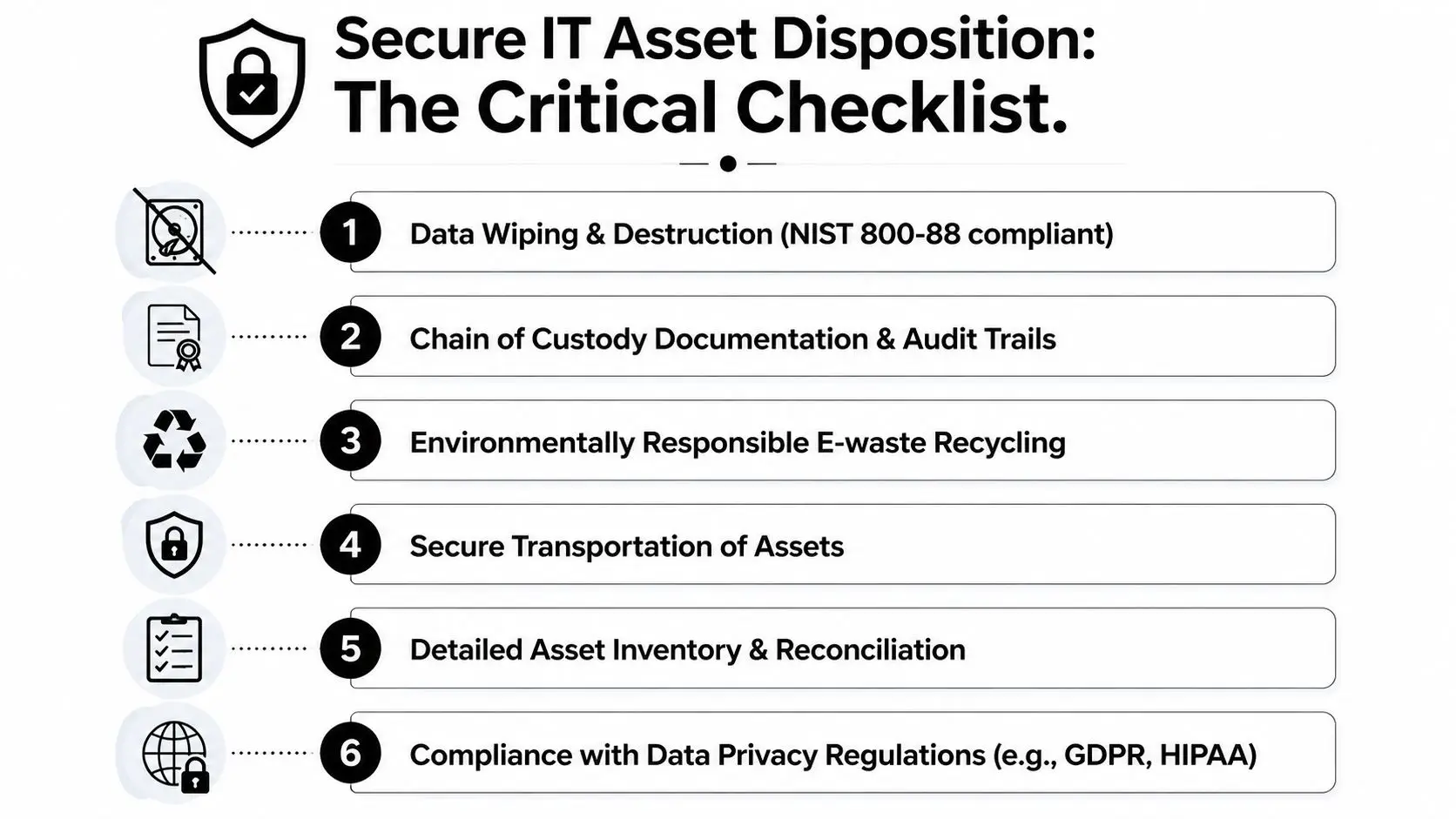
That risk isn’t limited to servers. It includes laptops in desk drawers, multifunction printers with internal storage, backup appliances, loose drives, retired access control hardware, and devices no one has logged in months.
Start with an ITAD decision matrix
Every data-bearing asset needs a documented disposition path before move week.
Use four labels only
Relocate
Active equipment approved for the new site.Refresh
Equipment being replaced but still holding residual value.Destroy data and recycle
End-of-life devices that should never return to service.Hold for review
Assets with ownership, lease, or legal-hold questions.
If too many devices sit in “hold for review,” your plan is still incomplete.
Know when wiping is enough and when shredding is safer
Data wiping and physical destruction solve different problems. Wiping fits equipment you intend to redeploy or resell. Physical shredding fits failed drives, damaged media, and situations where policy requires destruction instead of sanitization.
The operational question is simple. Will this asset leave your control for reuse, or should liability end now?
For many organizations, the right answer is mixed. Wipe reusable laptops. Shred failed hard drives. Document both outcomes. If your team needs a grounding in terms and process, this overview of IT asset disposition fundamentals is a useful baseline.
If a device contains data and no one can say where it is, your move has already created a security incident waiting to happen.
Build chain of custody before pickup day
A secure ITAD workflow isn't just “the vendor takes it away.” It needs custody records that start inside your office.
Create a handoff process with:
- Asset lists tied to tags or serial numbers
- Pickup authorization
- Sealed or controlled staging areas
- Named individuals for release and receipt
- Certificates issued after processing
This matters most in healthcare, finance, government, and any environment where audit questions can arrive long after the move is over.
Data center and server room work needs its own playbook
Server room decommissions should never be folded into the furniture move. They have different labor, timing, and risk.
A proper sequence usually looks like this:
- Backups and dependency checks
- Shutdown approvals
- Network and application validation
- De-racking and packing by device class
- Secure transport
- Reinstall or destruction workflow
- Final asset reconciliation
Beyond Surplus is one example of an ITAD provider that handles certified data destruction, recycling documentation, buyback, and nationwide pickup for organizations that need a separate surplus and disposal stream during relocation. That’s different from what most office relocation companies are built to do.
The checklist that keeps you out of trouble
Before the move
- Confirm inventory accuracy so retired assets don’t get packed as active equipment.
- Classify data-bearing devices including printers, copiers, and backup media.
- Choose wipe versus shred based on reuse plans and policy.
- Set a staging area with controlled access.
During the move
- Separate active and retired assets physically with distinct labels and custody forms.
- Release equipment only to authorized teams.
- Track exceptions immediately rather than fixing them later from memory.
After pickup
- Collect certificates and audit records.
- Update asset systems so retired hardware is no longer shown as deployed.
- Archive records with legal, compliance, or procurement documentation.
ITAD isn’t a cleanup task at the end. It’s one of the first planning decisions that makes the rest of the move manageable.
How to Choose the Right Office Relocation Partners
The wrong partner can move equipment carefully and still create avoidable risk. The right partner understands where physical handling ends and regulated asset disposition begins.

General mover versus specialized partner
A general commercial mover is usually responsible for packing, transport, furniture disassembly, and move-day labor. That’s useful, but it doesn’t answer questions about data destruction, downstream recycling, or residual value recovery.
A specialized IT-focused partner should be able to speak clearly about:
- Chain of custody
- Data sanitization or destruction methods
- Audit documentation
- Equipment triage
- Redeployment versus disposition decisions
- Post-move reconciliation
You don’t always need one vendor to do everything. In many moves, the best structure is a mover for transport and a separate ITAD firm for data-bearing surplus.
Questions worth asking in the RFP
Use pointed questions. Vague answers are usually a warning.
Ask office relocation companies
- Who disconnects and reconnects IT equipment?
- How do you label and track devices by department or user?
- What happens if move-day inventory doesn’t match the manifest?
- Can you support after-hours or phased occupancy schedules?
- Who is the on-site escalation contact?
Ask ITAD vendors
- How do you document custody from pickup through processing?
- Do you provide certificates of data destruction and recycling?
- How do you handle failed drives or damaged media?
- Can you separate resale candidates from scrap equipment?
- What information will appear on the final reconciliation report?
A practical starting point is this vendor due diligence checklist for IT and disposal partners.
A cheap bid often hides the most expensive omission. No one notices on quote day. Everyone notices during audit day.
Compare proposals by risk, not just price
Price matters. Scope matters more.
| Evaluation point | Weak proposal | Strong proposal |
|---|---|---|
| Inventory handling | Generic packing language | Device-level tracking process |
| Security | Broad “careful handling” promises | Clear custody and destruction workflow |
| Reporting | Minimal closeout paperwork | Final reconciliation and certificates |
| IT coordination | Assumes client will manage it | Defines handoffs and responsibilities |
The best proposals read like operating plans. They assign responsibility, define exceptions, and show what proof you’ll receive when the job is done.
Executing the Move Flawlessly From Shutdown to Go-Live
Move week is controlled pressure. The plan either shows up in the field or it doesn’t. One of the biggest failures is sequencing. Poor IT sequencing can delay systems by 48 hours or more, and 37% of business relocations average over 2 days of downtime, according to JK Moving’s analysis of office moving challenges.
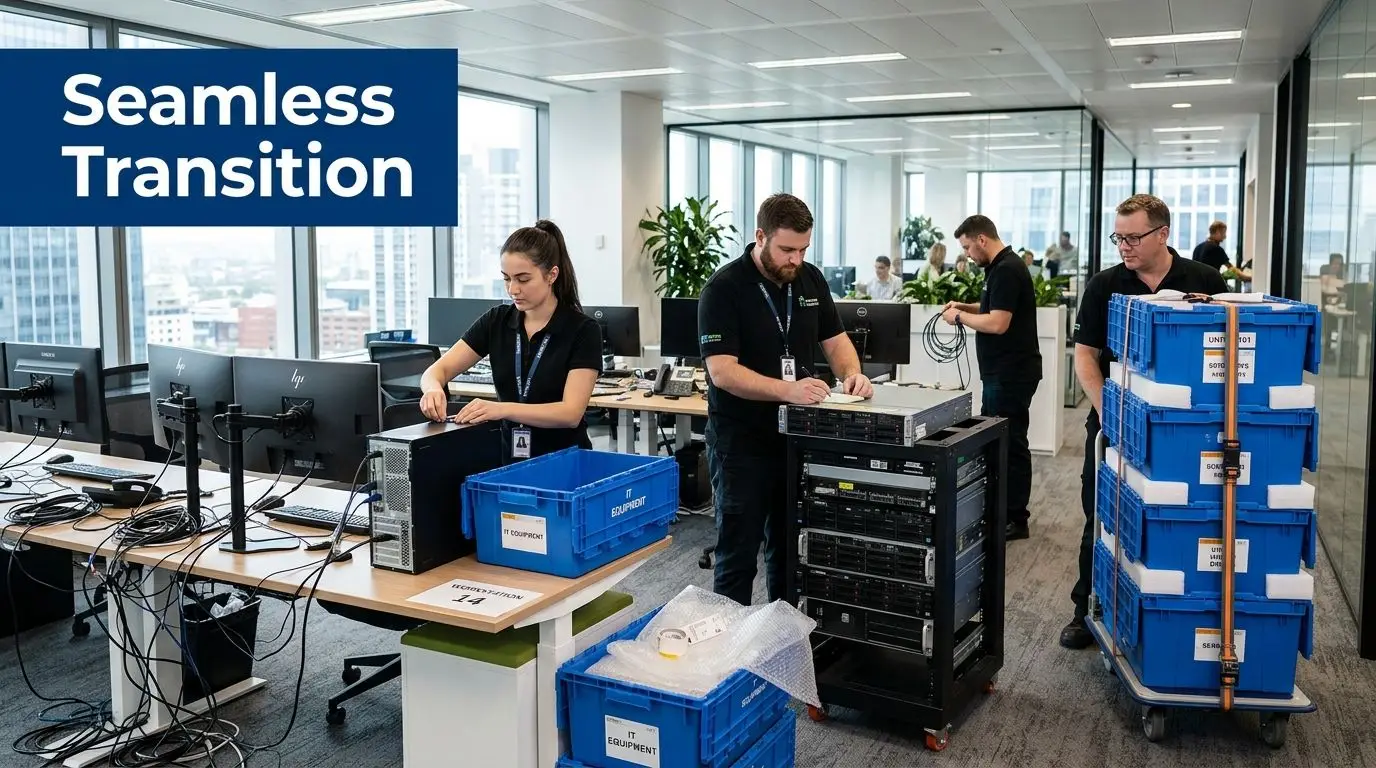
The sequence that usually works
Teams get in trouble when they move desks first because the office looks simpler that way. In practice, the move should follow business dependency.
A clean execution rhythm looks like this:
- Confirm backups and approvals
- Shut down noncritical systems first
- Decommission infrastructure in planned order
- Move priority IT loads
- Stage user equipment by floor or department
- Bring up core network and systems
- Reconnect users in waves
That order keeps the people who need to validate applications, printing, access control, and network connectivity available at the right moments.
Communication matters as much as trucking
Users don't need every detail. They do need clear instructions.
Every employee should know
- When to stop using equipment
- What stays on the desk
- What gets packed
- Where to report exceptions
- When support will be available at the new site
I’ve seen solid technical plans stall because no one told department leads that loaner devices were being collected early, or that printers were moving on a different schedule than desktops.
Write the cutover message for the least technical person in the company. If they can follow it, your move desk will stay quieter.
Put one person in charge on site
Even when multiple vendors are involved, one move manager needs authority to make sequencing calls in real time. That person shouldn’t be chasing boxes and troubleshooting Wi-Fi at the same time. Their job is coordination.
They should control:
- Vendor arrival and floor access
- Issue escalation
- Manifest exceptions
- Go-live signoffs
- Change decisions when the site throws surprises
Good execution isn’t dramatic. The team shuts down systems in the right order, moves what’s needed first, keeps surplus out of active staging, and gets users productive again without a scavenger hunt.
The Final Mile Asset Reconciliation and Value Recovery
The move isn’t finished when the last workstation is online. The closeout phase is where you prove control. If your pre-move list showed fifty retired laptops, your post-move records should show exactly what happened to all fifty. Not “picked up.” Not “processed.” Exactly what happened.
Reconcile the inventory while the details are fresh
Start with three lists side by side:
- What was supposed to move
- What was supposed to be retired
- What transpired
That comparison exposes the usual leftovers. The conference room codec that was still mounted on the wall. The copier with a hard drive no one included. The stack of untagged monitors in a storage room. Close those gaps immediately, while access badges still work and teams still remember what they touched.
Compliance proof is part of project closeout
A finished relocation file should include more than invoices. For retired technology, keep certificates of data destruction and recycling, custody records, and any final disposition summary provided by your processing partner.
These documents do two jobs. They support compliance if legal, audit, or procurement asks questions later. They also mark the point where liability shifts away from your organization and into documented downstream processing.
For larger consolidations, it also helps to bundle this work with office cleanout services for leftover business assets and equipment so the old site isn’t left with orphaned electronics, abandoned furniture, and mystery storage.
Recover value where it still exists
Not every retired asset is scrap. Some equipment has resale value, especially if it’s recent, functional, and properly wiped. That doesn’t mean every item deserves the labor of remarketing. It means the disposition plan should distinguish between devices worth recovering and devices that should go straight to certified destruction and recycling.
That’s the strategic shift many teams miss. A move starts as a cost center, but disciplined closeout can reduce future storage, remove compliance exposure, and recover value from selected hardware.
What a complete finish looks like
By the end, you should be able to answer five questions without guessing:
| Closeout question | What you should have |
|---|---|
| What moved? | Final installed inventory |
| What was retired? | Disposition report |
| Was data destroyed correctly? | Certificates and custody records |
| What was recycled? | Recycling documentation |
| What still has value? | Buyback or resale review |
If you can answer those cleanly, the move didn’t just happen. It was managed.
If your relocation includes retired laptops, servers, networking gear, storage, printer drives, or a full office technology cleanout, contact Beyond Surplus for certified electronics recycling and secure IT asset disposal.