In enterprise IT, the types of hard drives connections used in your servers, workstations, and storage arrays have profound implications for performance, data security, and your IT Asset Disposition (ITAD) strategy. For IT managers and business owners, understanding these interfaces is not merely a technical exercise. It is a critical component of managing risk, ensuring compliance, and maximizing the value of decommissioned hardware.
As technology progresses from legacy SCSI and SATA interfaces to high-speed NVMe and Thunderbolt, a knowledgeable partner becomes essential for managing the end-of-life process. This guide provides a detailed catalog of the drive connections you will encounter in your corporate infrastructure, from common SATA and SAS drives to modern NVMe-based form factors like M.2 and U.2.
Each entry will offer practical insights needed for your organization’s electronics recycling and secure data destruction requirements. The connection type directly influences the methods required for secure data erasure and physical destruction, a core service for IT asset disposal providers.
Key Takeaway: Partnering with a certified ITAD provider like Beyond Surplus ensures every drive, regardless of its connection type, is handled with the highest standards of security and environmental responsibility. We possess the specialized equipment and expertise to securely process a wide range of storage media, safeguarding your sensitive business data during disposal. This listicle will equip you with the foundational knowledge to oversee this process effectively.
1. SATA (Serial ATA)
SATA (Serial ATA) stands as the most common interface for connecting hard drives in desktop computers, laptops, and enterprise servers. Introduced as a successor to the bulky Parallel ATA (PATA) standard, SATA offered significant improvements in speed, cable management, and ease of installation. Its simple, thin cable design and reliable performance made it the default choice for business-grade IT equipment for well over a decade.
Because of its long-standing dominance, the vast majority of decommissioned IT assets contain SATA drives. This makes proficient identification and handling of these types of hard drive connections essential for IT asset disposition (ITAD) professionals. You'll find them in everything from Dell PowerEdge servers and HP ProDesk desktops to legacy enterprise storage arrays from brands like NetApp and EMC.
Technical and Physical Identification
- Connector: SATA uses a distinctive L-shaped data connector (7-pin) and a wider, flat power connector (15-pin). This design prevents incorrect insertion.
- Cable: The data cable is a thin, flat ribbon, usually red or black, which is far more flexible and less obtrusive than the wide PATA ribbon cables it replaced.
- Throughput: SATA has evolved through several revisions, with SATA III (6 Gb/s) being the most common standard found in modern equipment, offering a maximum theoretical throughput of 600 MB/s.
IT Asset Disposition and Recycling Considerations
For organizations managing end-of-life IT assets, properly processing SATA drives is a daily task in the e-waste management stream. Their ubiquity demands a clear workflow for secure disposal.
Key Insight: The high volume of SATA drives in the ITAD stream makes them prime candidates for refurbishment and resale. Separating SATA SSDs from mechanical HDDs is the first step, as SSDs often retain higher residual value.
Organizing your inventory by form factor (3.5" for desktops and servers, 2.5" for laptops and some servers) simplifies the process. Since these drives often contain sensitive corporate data, certified data wiping is a critical step before they can be considered for reuse. For drives that fail diagnostics or are slated for destruction, secure physical disposal through shredding is necessary.
2. NVMe (Non-Volatile Memory Express) / PCIe
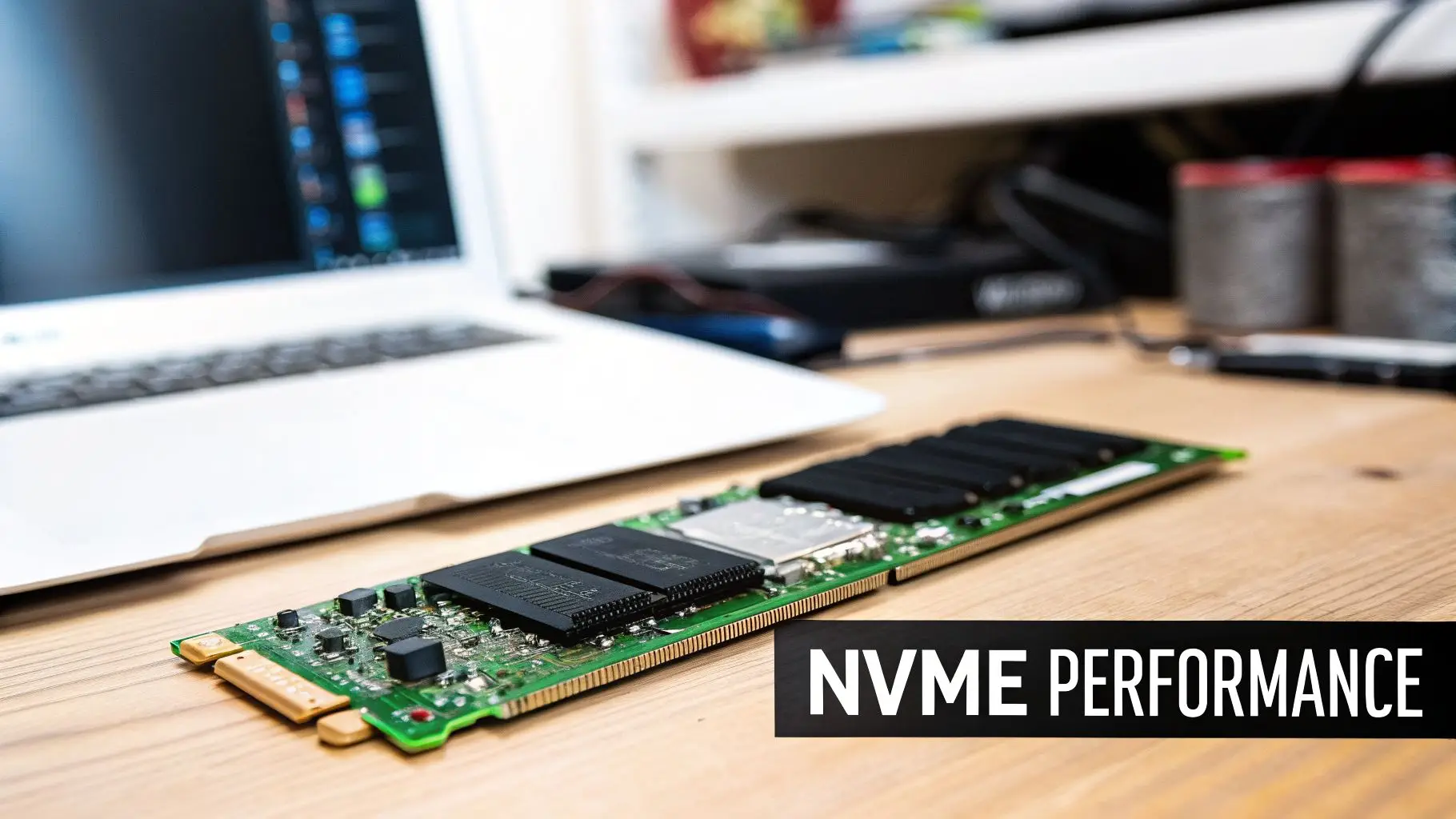
NVMe (Non-Volatile Memory Express) is a high-performance interface and protocol developed specifically for solid-state drives (SSDs) to capitalize on their speed. Unlike SATA, which was designed for mechanical hard drives, NVMe communicates directly with the system CPU via the PCIe (PCI Express) bus. This direct connection eliminates bottlenecks, delivering dramatically faster data transfer rates. NVMe technology has become the standard for performance-critical applications in workstations and modern enterprise infrastructure.
The rapid adoption of NVMe means that ITAD professionals are encountering these drives more frequently in retired business assets. They are common in premium hardware like Dell PowerEdge servers configured for high-speed storage, and workstations running high-performance SSDs. Understanding these types of hard drive connections is crucial for accurately assessing the value of modern IT equipment and ensuring secure data handling during computer recycling.
Technical and Physical Identification
- Connector: NVMe drives most often use the M.2 form factor, a small, gumstick-like card that plugs into a dedicated slot on the motherboard. Enterprise systems may use the U.2 or U.3 connector, which resembles a SAS connector but provides a PCIe interface.
- Cable: M.2 drives connect directly to the motherboard without cables. U.2 and U.3 drives use specialized cables that connect the drive to a PCIe-enabled port on the motherboard or a backplane.
- Throughput: NVMe speeds are determined by the PCIe generation. A PCIe Gen 4×4 drive can reach theoretical speeds over 7,000 MB/s, while Gen 5 can exceed 14,000 MB/s, far surpassing SATA III's 600 MB/s limit.
IT Asset Disposition and Recycling Considerations
Handling NVMe SSDs requires a specialized approach due to their high performance and value. Their presence in end-of-life assets from sectors like finance and healthcare demands strict security protocols for secure e-waste management.
Key Insight: NVMe drives command a significantly higher resale value than SATA SSDs. Separating them during inventory and documenting their PCIe generation (Gen 3, 4, or 5) and capacity is essential for maximizing remarketing returns.
Because of the direct-to-CPU architecture, organizations must verify that their data erasure software explicitly supports the NVMe protocol to ensure complete and certified data sanitization. For drives that must be destroyed, especially those from high-compliance environments, it is vital to select a certified destruction partner for IT equipment disposal.
3. SAS (Serial Attached SCSI)
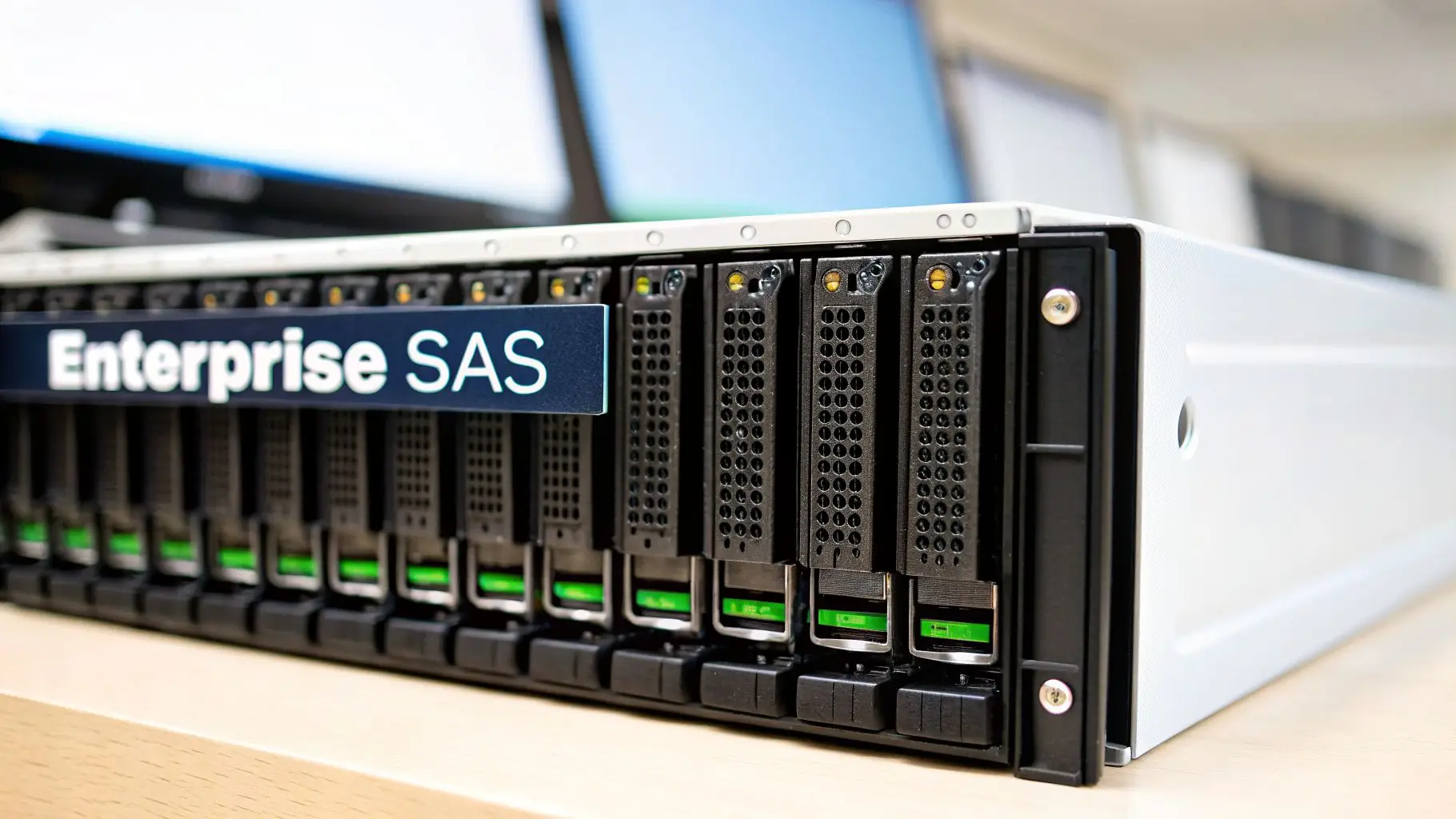
SAS (Serial Attached SCSI) is the enterprise-grade successor to the parallel SCSI standard, built for high reliability and performance in demanding server and storage environments. SAS uses a point-to-point serial protocol that supports dual-port configurations for high-availability and redundancy, making it the default interface for enterprise-class hard drives and SSDs. It is the workhorse of data centers, healthcare systems, and financial institutions that require constant, 24/7 operation.

Because of its prevalence in mission-critical systems, SAS drives are common in decommissioned enterprise assets. ITAD professionals regularly encounter these drives in servers from Dell (PowerEdge), HP (ProLiant), and in storage arrays from NetApp, EMC, and Pure Storage. Understanding these types of hard drive connections is key to properly processing high-value corporate IT equipment for IT asset recovery.
Technical and Physical Identification
- Connector: The SAS connector is a single, unified block that carries both data and power. Unlike SATA's separate L-shaped connectors, the SAS connector has no gap, preventing a SAS drive from being plugged into a standard SATA controller. However, SAS controllers are backward-compatible and can accept SATA drives.
- Cable: SAS cables are similar in appearance to SATA cables but are certified for higher performance and often come in multi-lane configurations (e.g., SFF-8087, SFF-8643) that bundle four SAS channels into a single cable for connecting to backplanes.
- Throughput: SAS has progressed through generations, with SAS-3 (12 Gb/s) and SAS-4 (22.5 Gb/s) being common. Dual-porting allows for two active data paths, doubling potential throughput and providing failover protection.
IT Asset Disposition and Recycling Considerations
SAS drives from decommissioned enterprise gear are high-value assets for remarketing. Their robust build quality and performance specifications make them desirable for second-life applications in labs and budget-conscious data centers.
Key Insight: Organizations in regulated industries like healthcare and finance often use Self-Encrypting Drives (SEDs) with a SAS interface. Verifying this feature during intake is critical, as SEDs command premium prices but also require specific data destruction protocols to ensure compliance.
During ITAD intake, it's important to sort SAS drives by capacity, RPM (often 7.2K, 10K, or 15K), and form factor (2.5" or 3.5"). Because they come from secure environments, certified data sanitization is mandatory. For an in-depth guide on sanitization methods, you can learn more about how to completely wipe a hard drive. Maintaining a detailed chain-of-custody is also vital for drives requiring physical destruction to meet regulatory compliance.
4. M.2 Form Factor
M.2 is a physical form factor specification, not an interface protocol itself, that defines the compact shape and edge connector for modern internal expansion cards, most notably solid-state drives. Initially known as Next Generation Form Factor (NGFF), the M.2 standard has become dominant in business laptops, ultrabooks, and compact desktops. Its small footprint allows for high-capacity, high-speed storage without the bulk of traditional drives, accommodating both SATA and the much faster NVMe protocols on the same physical connector.
This form factor is now standard in most modern corporate IT equipment, including Dell XPS and Latitude laptops, HP EliteBooks, and Lenovo ThinkPads. For IT asset disposition professionals, M.2 drives are a high-volume item encountered during the decommissioning of portable and small-form-factor devices. Their value and data security requirements make proper identification crucial for laptop disposal.
Technical and Physical Identification
- Connector: M.2 drives connect directly to a motherboard slot. Identification is based on the "keying" or notches in the connector. B-key (SATA/PCIe x2), M-key (PCIe x4), or B+M key (both) determine compatibility and protocol.
- Cable: M.2 is a direct-attach, cable-less form factor, eliminating clutter and improving airflow within a device chassis.
- Throughput: Performance depends on the bus it uses. An M.2 SATA drive is limited to SATA III speeds (~600 MB/s), while an M.2 NVMe drive can achieve speeds over 7,000 MB/s by using PCIe lanes.
IT Asset Disposition and Recycling Considerations
Handling M.2 drives requires attention to detail due to their protocol variations and physical characteristics. Unlike spinning drives, M.2 SSDs cannot be degaussed, as they store data on flash memory chips rather than magnetic platters, making physical destruction or cryptographic erasure the only secure disposal options.
Key Insight: A critical challenge in ITAD is that some modern laptops have soldered-on M.2 storage. These non-removable drives cannot be separately wiped or harvested for resale, meaning the entire logic board must be physically destroyed to ensure data security.
During intake, it's vital to separate M.2 drives by their protocol (SATA vs. NVMe) to accurately assess their value for the secondary market, as NVMe drives command a higher price. Verifying that data erasure software is compatible with NVMe protocols is a mandatory step before processing these assets for reuse. Any drives that are non-functional or slated for product destruction must be physically shredded.
5. U.2 (SFF-8639) Interface
The U.2 interface, formally known as SFF-8639, is a high-performance standard developed for enterprise-grade NVMe SSDs. It cleverly packages the extreme speed of the PCIe bus into a familiar 2.5-inch form factor, allowing data centers to upgrade their storage performance without a complete overhaul of their existing server chassis and backplane infrastructure. U.2 became the bridge between legacy SATA/SAS systems and the new world of NVMe, offering hot-swap capabilities essential for mission-critical server environments.
This connection type is almost exclusively found in high-end servers and enterprise storage arrays from manufacturers like Dell, HPE, NetApp, and Pure Storage. For ITAD professionals, identifying U.2 drives is a signal of high-value, enterprise-class assets that require a specialized disposition workflow, a key part of data center decommissioning.
Technical and Physical Identification
- Connector: The SFF-8639 connector is dense and complex, combining power and data signals into a single robust block. It looks noticeably different from a SATA/SAS connector, with a more intricate pin layout designed to carry the PCIe signal.
- Cable: U.2 cables (SFF-8643 to SFF-8639) are thicker than SATA cables and are designed for high-speed data integrity, connecting the drive directly to a motherboard or backplane that supports NVMe.
- Throughput: By utilizing four PCIe lanes (PCIe 3.0 or 4.0), U.2 drives achieve massive throughput. A PCIe 4.0 x4 U.2 drive can reach theoretical speeds of up to 8,000 MB/s, far surpassing the 600 MB/s limit of SATA III.
IT Asset Disposition and Recycling Considerations
Handling U.2 drives during IT asset disposition requires careful attention due to their high value and the sensitive nature of the data they typically store. Their presence indicates enterprise-grade hardware. It is crucial to segregate them from all other drive types immediately upon intake.
Key Insight: The high replacement cost and performance of U.2 drives give them significant residual value. Documenting the drive's model, capacity, and health status is critical for maximizing returns in the secondary market. Verifying compatibility with specific server backplanes is also a key value-add for potential buyers.
Because these assets often originate from environments with strict data governance policies, such as finance or healthcare, providing certified data destruction and a documented chain of custody is non-negotiable. For drives that are non-functional or designated for destruction, secure shredding is the only acceptable method. While U.2 drives are not typically found in laptops, understanding the process to remove a laptop hard drive is a fundamental skill that underpins all data-bearing device management.
6. USB (Universal Serial Bus)
USB (Universal Serial Bus) is a ubiquitous external interface for connecting peripherals, including external hard drives, portable SSDs, and flash drives. It offers exceptional flexibility and portability, making it a default choice for data transfer, backups, and supplemental storage in business environments. While it often has performance trade-offs compared to internal connections like SATA or NVMe, its convenience has made it a staple.
Because of its widespread use, ITAD professionals frequently encounter USB storage devices containing sensitive corporate information. These range from external drives used for routine backups to specialized portable drives common in creative fields. Even small flash drives can hold critical data, making secure handling of these types of hard drive connections a key part of any comprehensive ITAD program.
Technical and Physical Identification
- Connector: USB has numerous connector types. USB-A is the classic rectangular port. Micro-USB and Mini-USB are common on older external drives, while USB-C is the modern, reversible oval-shaped standard found on newer portable SSDs.
- Cable: Cables vary by connector type and generation. Color-coding is a helpful, though not universal, indicator: blue inserts often signify USB 3.0, while teal or red may denote faster 3.1/3.2 versions.
- Throughput: USB speeds have increased dramatically. USB 2.0 offers 480 Mbps, USB 3.2 Gen 2 reaches 10 Gbps, and the emerging USB4 standard pushes speeds up to 40 Gbps, rivaling internal interfaces.
IT Asset Disposition and Recycling Considerations
External USB drives are a high-risk category for data breaches during asset retirement, as they are frequently used for ad-hoc backups and data transport, often without proper encryption.
Key Insight: Portable USB backup devices often contain unsecured copies of sensitive data and are easily overlooked during decommissioning. Prioritize the intake and secure data wiping of these devices as highly as internal server drives.
During processing, the first step is to categorize devices by their interface (USB 3.0 vs. USB-C) and type (HDD vs. SSD), as this impacts their resale value. Functional testing is critical; devices that pass can be securely wiped and remarketed. Failed or obsolete drives must undergo physical destruction to guarantee data security. Electronic waste pickup services should always account for these small but high-risk devices.
7. SCSI (Small Computer System Interface)
SCSI (Small Computer System Interface) is a legacy parallel interface standard that once dominated enterprise server and storage environments from the 1980s through the early 2010s. Though largely superseded by SAS, SCSI drives are still prevalent in decommissioned legacy equipment. Understanding these types of hard drive connections is essential for ITAD professionals handling aging infrastructure from data centers, healthcare, and government agencies, including medical equipment disposal and laboratory equipment disposal.
Pioneered by companies like Adaptec, SCSI enabled multiple devices to be connected to a single bus, a key feature for early servers. Its robust command set and reliable performance made it the go-to choice for demanding applications for decades. You will frequently encounter SCSI drives in older Dell PowerEdge servers, legacy IBM storage arrays, and specialized medical or lab equipment where data integrity was paramount.
Technical and Physical Identification
- Connector: SCSI connectors are varied and complex. Common types include the large 50-pin Centronics connector, the smaller high-density 50-pin, and the 68-pin high-density connector used for faster standards like Ultra160.
- Cable: Cables are typically thick, wide, grey ribbon cables for internal connections or bulky, shielded round cables for external devices. Daisy-chaining several devices together was a common practice.
- Throughput: SCSI evolved significantly over its lifespan. Early standards offered 5 MB/s, while later versions like Ultra320 SCSI reached a theoretical throughput of 320 MB/s. Drive labels often indicate the specific standard.
IT Asset Disposition and Recycling Considerations
While less common in modern ITAD intakes, proper identification of SCSI drives is critical. These drives often originate from environments with heightened compliance needs and may contain highly sensitive, decades-old data.
Key Insight: Legacy SCSI systems from healthcare or government sectors may contain decades-old, highly sensitive data. Due to the age of the drives and the difficulty of finding compatible hardware for wiping, aggressive physical destruction should be the default, bypassing data wiping attempts.
When processing these assets, verify the specific SCSI standard from drive labels to document performance and capacity accurately. Because of their age and the sensitive nature of the data they often hold, maintaining a strict chain-of-custody is non-negotiable. For assets containing such drives, prioritizing secure hard drive shredding is the most effective way to ensure complete data security and compliance.
8. eSATA (External Serial ATA)
eSATA (External Serial ATA) emerged as a high-performance external interface designed to bring the full speed of internal SATA connections to external storage devices. It provided a significant performance leap over the then-dominant USB 2.0, offering speeds up to 6 Gbps. This made it a favored choice for businesses needing fast access to large external datasets without the bottleneck of slower universal connectors.
Though its popularity has since been eclipsed by USB 3.0 and Thunderbolt, eSATA-equipped hardware is still commonly found in legacy IT environments. These devices represent a transitional period in storage technology, bridging the gap between internal performance and external portability. You'll encounter this connection on external drives and specialized video editing docking stations.
Technical and Physical Identification
- Connector: The eSATA connector is physically distinct from its internal SATA counterpart. It is a flat, I-shaped port designed for more robust and frequent plugging and unplugging. It lacks the "L" key of internal SATA to prevent accidental connection of unshielded internal cables.
- Cable: eSATA cables are more heavily shielded and durable than internal SATA cables to protect against electromagnetic interference (EMI) and physical wear.
- Throughput: eSATA directly mirrors the performance of the internal SATA standard it is based on, commonly reaching SATA II (3 Gb/s) or SATA III (6 Gb/s) speeds.
IT Asset Disposition and Recycling Considerations
For ITAD professionals, eSATA devices represent a specific niche of equipment that requires careful handling. Their presence often indicates that the associated workstations or servers were used for performance-intensive tasks, meaning the drives could contain large volumes of sensitive or valuable intellectual property.
Key Insight: The transitional nature of eSATA technology means it has niche but real value in the secondary market. Many organizations still maintain legacy workflows built around eSATA infrastructure, creating a specific demand for these tested and wiped drives.
When processing assets, it is important to test eSATA connectivity during intake. Some older systems require specific drivers that can complicate data wiping procedures, so verifying functionality early is key. Because these drives were often used in production environments, they frequently contain unencrypted media files. Applying certified data destruction methods is mandatory before considering them for resale.
9. Thunderbolt
Thunderbolt is a high-speed external interface standard developed by Intel and Apple, designed to support data transfer, video output, and power delivery over a single compact connector. It leverages PCIe architecture to deliver near-internal-drive performance for external storage, making it a premium choice for professionals. Predominantly integrated into Apple hardware and high-end workstations, Thunderbolt-connected external drives are increasingly common in creative, media, and design-focused enterprises.
The presence of Thunderbolt ports often signals high-value, professional-grade equipment. In IT asset disposition, devices with this connection type require careful handling. These assets are typically found in media production houses, financial technology firms, and architectural design studios where portable, high-performance storage is essential.
Technical and Physical Identification
- Connector: Thunderbolt 1 and 2 use the Mini DisplayPort connector. Thunderbolt 3 and 4 adopted the more versatile USB-C connector, which is a small, reversible oval. A lightning bolt symbol next to the port is the key identifier.
- Cable: Cables are typically marked with the same lightning bolt symbol and a number indicating the generation (e.g., 3 or 4) to ensure proper speed and power delivery.
- Throughput: Thunderbolt has seen significant speed increases. Thunderbolt 1 started at 10 Gb/s, Thunderbolt 2 doubled it to 20 Gb/s, and Thunderbolt 3 and 4 provide up to 40 Gb/s, enabling extremely fast data access for external drives.
IT Asset Disposition and Recycling Considerations
For ITAD professionals, Thunderbolt-equipped assets represent a higher-value category within the disposition stream. Their specialized nature demands a focused approach to maximize returns and ensure security.
Key Insight: The high residual value of Thunderbolt-enabled devices, especially from brands like Apple and LaCie, makes them prime candidates for refurbishment and resale. Documenting the Thunderbolt generation is critical for accurate valuation.
When processing these assets, separating them from standard USB or SATA devices is the first step. Because they are common in creative industries, the drives they contain often hold sensitive intellectual property, requiring certified data destruction that meets stringent compliance standards. Accurate inventory that includes the port generation and host device specifications is essential for remarketing success.
9-Way Comparison: Hard Drive Connection Types
| Type | 🔄 Implementation complexity | Resource requirements | ⚡ Performance / Efficiency | ⭐📊 Expected outcomes | 💡 Ideal use cases & tips |
|---|---|---|---|---|---|
| SATA (Serial ATA) | Low — simple cabling and wide support | Standard SATA controllers, cables, 2.5"/3.5" bays, basic wiping tools | Up to 6 Gbps (SATA III); moderate latency | Reliable, cost‑effective recovery in bulk decommissions | Bulk recycling and certified wiping; separate 2.5" vs 3.5" inventory |
| NVMe (PCIe) | Moderate–High — PCIe/NVMe platform knowledge needed | PCIe/M.2 slots, NVMe-aware wiping/recovery tools, thermal handling | 3,500–14,000+ MB/s (Gen3–Gen5); <1 ms latency | High residual value; critical for performance workloads, complex recovery | Inventory by PCIe generation; verify NVMe wipe support; segregate for resale |
| SAS (Serial Attached SCSI) | High — enterprise controllers and dual‑port handling | SAS HBAs, chassis/backplanes, certified destruction and chain‑of‑custody | Up to 22.5 Gbps (SAS4); dual‑port redundancy | Enterprise‑grade reliability and strong secondary value for compliance clients | Verify dual‑port/SED status; prioritize certified destruction and documentation |
| M.2 Form Factor | Low–Moderate — simple mounting but protocol varies | M.2 adapters/test rigs, protocol identification (key notch) | Variable — can be SATA speeds or NVMe high speeds; compact | Common in laptops; variable resale value; often found in modern decommissions | Separate by key notch (SATA vs NVMe); note soldered vs removable units |
| U.2 (SFF‑8639) | High — enterprise backplane and hot‑swap support | U.2 controllers/backplanes, high‑density cables, hot‑swap bays | NVMe over PCIe speeds (Gen3/4); 2.5" form factor | Enterprise migration path from SATA to NVMe; high value in DC deinstalls | Segregate enterprise drives; verify backplane compatibility; document hot‑swap config |
| USB (External) | Low — plug‑and‑play but varied implementations | USB hosts/ports, adapters (A/C/Type‑C), testing stations | 480 Mbps (USB2.0) to 20 Gbps (USB3.2); USB4 up to 40 Gbps | Ubiquitous portable storage; high security risk if unencrypted | Prioritize secure destruction; identify generation by connector; test before resale |
| SCSI (Legacy) | High — legacy cabling, termination and controllers | Legacy SCSI controllers/adapters, specialized expertise, physical destruction tools | 5–160 Mbps (older standards); much lower than modern interfaces | Rare but sensitive legacy assets; limited market demand | Aggressive physical destruction for old media; verify standard by connector type |
| eSATA (External SATA) | Low–Moderate — external SATA connector and driver support | eSATA ports/cards or docks, robust cables, possible adapter support | Up to 6 Gbps (SATA III equivalent) | Niche legacy use; good for media workflows but declining market | Identify connector type; test drivers during intake; market to niche users |
| Thunderbolt | Moderate — requires Thunderbolt hosts and compatible enclosures | Thunderbolt‑capable hosts/enclosures, TB‑aware wiping tools; Apple ecosystem knowledge | 10–40 Gbps (TB1→TB3/4); near internal SSD performance | Premium external performance; higher resale value but smaller market | Segment premium TB gear; document generation and host compatibility; ensure tool support |
Partnering With An Expert For Your ITAD Needs
Navigating the diverse world of hard drive connections is more than just a technical exercise; it's a fundamental component of effective IT asset management and a secure IT Asset Disposition (ITAD) strategy. The evolution from legacy interfaces like SCSI to the high-speed protocols of NVMe and Thunderbolt has created a complex ecosystem within enterprise IT environments. A single organization might possess active servers running SAS drives, workstations with SATA SSDs, and a fleet of laptops using M.2 NVMe storage, all while older equipment with eSATA or even SCSI connectors sits in a storage closet.
Understanding these types of hard drives connections is critical. Each interface dictates not only performance but also the specific procedures required for secure data destruction, potential for value recovery, and responsible recycling. A simple mismatch in assumptions can lead to significant consequences, from failed data sanitization attempts to missed opportunities for asset remarketing.
From Interface Knowledge to Actionable ITAD Strategy
The real value of this knowledge comes from its application within your asset lifecycle management. Recognizing the interface is the first step; the crucial next steps involve a series of decisions that directly impact data security, compliance, and your bottom line.
Data Destruction Planning: The method for securely erasing data can vary. While software-based wiping is effective for many SATA and SAS drives, the architecture of NVMe SSDs, with their complex controllers and wear-leveling algorithms, often necessitates advanced cryptographic erasure methods or physical destruction to guarantee complete data removal. An ITAD plan must account for these differences to remain compliant with regulations like HIPAA, SOX, and the FTC Disposal Rule.
Value Recovery and Reuse: The connection type is a primary indicator of a drive's potential for reuse or resale. Newer interfaces like NVMe and high-capacity SAS drives hold significant secondary market value. An expert ITAD partner can accurately test, grade, and remarket these assets, turning decommissioned hardware from a liability into a revenue stream. Conversely, older SCSI drives typically have minimal resale value, making secure recycling the most logical path.
Logistical and Recycling Considerations: The physical form factors associated with these connections, such as M.2, U.2, and traditional 3.5-inch or 2.5-inch drives, influence the logistics of an ITAD project. Handling thousands of small M.2 drives from a laptop refresh requires a different workflow than decommissioning racks of 3.5-inch SAS drives from a data center. Proper identification ensures that all media is accounted for and processed according to a documented, auditable chain of custody.
Key Insight: A successful ITAD program isn't about having a single, one-size-fits-all process. It’s about building a flexible framework that adapts to the specific technology being retired. Misidentifying a drive's connection can lead to data breach vulnerabilities or a failure to meet your organization's sustainability goals.
For businesses across the United States, managing this complexity internally can be a substantial drain on resources and introduce unnecessary risk. Partnering with a certified ITAD provider like Beyond Surplus ensures that every asset, regardless of its interface or form factor, is handled with precision and accountability. We provide detailed, serialized reporting that confirms every drive has been processed according to industry best practices and your specific security requirements, providing the peace of mind that comes from a fully compliant and secure disposition process.
When your business needs to ensure every drive is handled correctly, from legacy SCSI to modern NVMe, you need a partner who understands the technology inside and out. Beyond Surplus offers certified, nationwide ITAD services, including secure data destruction and electronics recycling, ensuring your end-of-life assets are managed securely and sustainably. Visit Beyond Surplus to learn how our expertise in managing all types of hard drives connections can protect your data and simplify your ITAD process.