Decommissioning IT assets presents a significant challenge for modern businesses, balancing data security, environmental compliance, and value recovery. As technology refresh cycles shorten, organizations in Smyrna, Georgia, are left asking a critical question: what to do with old computer hardware? This isn't just about clearing out a storage room; it's a strategic process for IT managers, facility managers, and business owners governed by federal regulations and defined by risk management.
For enterprise and commercial clients, making the right choice is paramount. The wrong decision can lead to catastrophic data breaches, steep non-compliance penalties, and lasting environmental liability. Conversely, a well-executed IT asset disposition (ITAD) strategy not only mitigates these risks but can also recover significant value, contributing positively to your bottom line and corporate social responsibility goals.
This guide outlines professional, business-focused solutions for managing your end-of-life electronics. From certified electronics recycling in Smyrna and IT equipment buyback programs to compliant computer recycling and data center decommissioning, we will provide actionable steps for every scenario. Whether you operate a healthcare facility, financial institution, or corporate office, these options will help you transform a logistical burden into a secure, compliant, and profitable opportunity. Each item is structured to give you the practical details needed to make informed decisions for your organization's specific requirements, ensuring you handle retired equipment with confidence and professionalism.
1. Certified IT Asset Disposition (ITAD) Services
For businesses managing large quantities of old computer hardware, Certified IT Asset Disposition (ITAD) is the gold standard for secure, compliant, and efficient disposal. This professional service goes far beyond simple recycling; it provides a complete end-of-life management solution that protects your organization from data breaches and regulatory fines. An ITAD partner handles everything from secure logistics and inventory tracking to certified data destruction and environmentally responsible recycling, transferring liability away from your company.
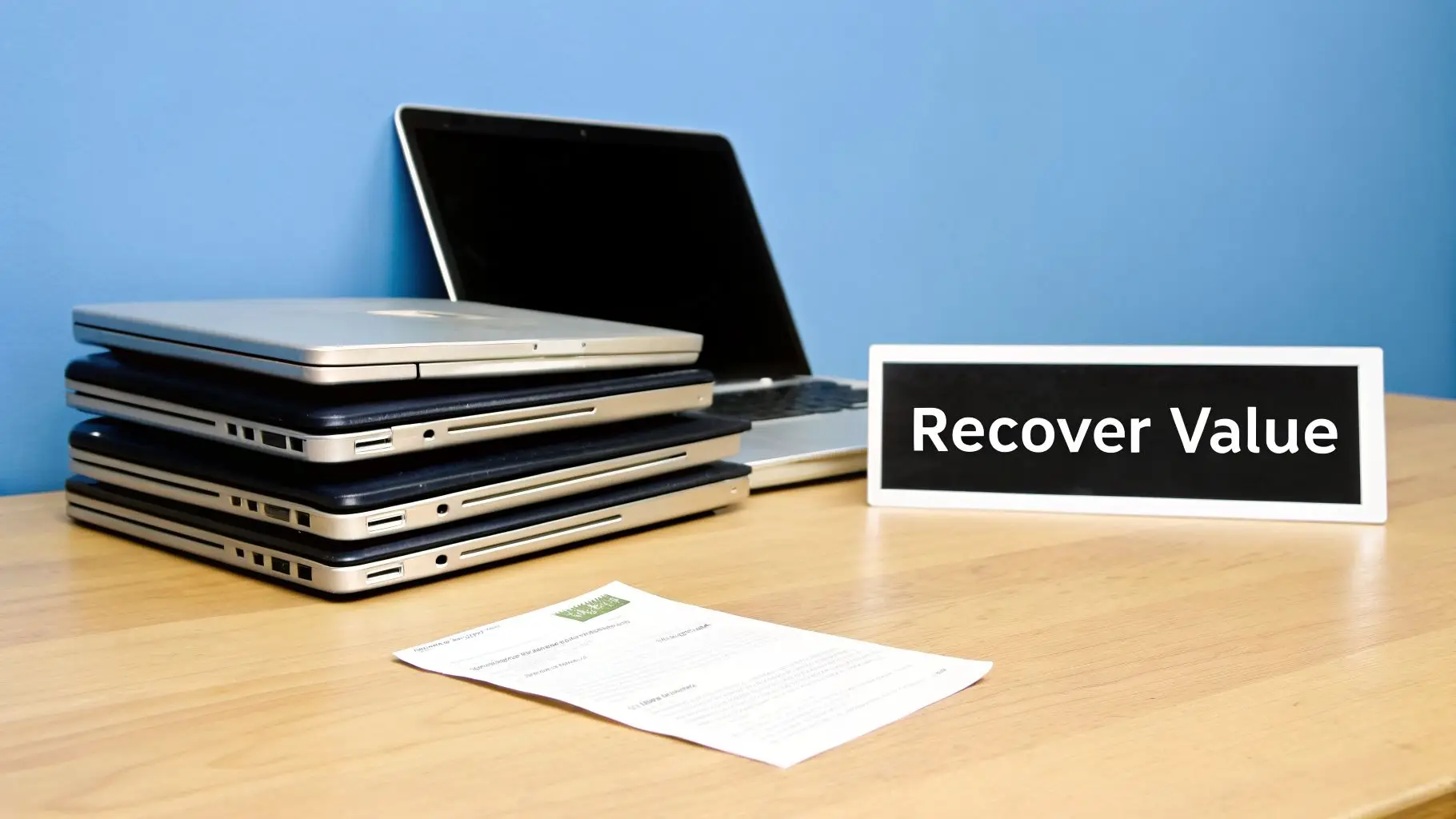
The core benefit of ITAD is its emphasis on auditable compliance. When you hand over your assets, you receive detailed documentation, including a full chain-of-custody record and certificates of data destruction and recycling. This paperwork is essential for proving compliance with regulations like HIPAA, GDPR, and the FTC Disposal Rule.
When to Use an ITAD Service
This approach is best suited for scenarios involving high volumes of equipment or strict data security requirements. Consider using an ITAD provider for:
- Large-Scale Technology Refreshes: Decommissioning hundreds or thousands of laptops, desktops, and servers across an enterprise.
- Data Center Decommissioning: Securely dismantling and processing servers, storage arrays, and networking gear from a data center environment.
- Regulated Industry Compliance: Healthcare and financial institutions retiring equipment containing sensitive patient or client data (PHI/PII).
- Multi-Location Consolidations: Managing hardware disposal for businesses with multiple offices, including operations in Smyrna, Georgia.
Actionable Steps for a Smooth ITAD Process
To ensure a successful partnership, prepare your assets and coordinate internally.
- Create an Inventory: Document all equipment by asset tag, serial number, and type before the scheduled pickup.
- Request Documentation: Insist on receiving Certificates of Data Destruction and Recycling as proof of proper handling.
- Coordinate with Security: Work with your IT security team to confirm that the vendor's data destruction methods meet your internal standards.
- Verify Certifications: Choose a partner like Beyond Surplus with established certifications (e.g., R2, e-Stewards) to guarantee responsible processing.
2. IT Equipment Buyback and Value Recovery
For organizations with functional, relatively modern computer hardware, IT equipment buyback programs offer a direct path to recouping financial value. Instead of simply disposing of assets, you can sell them to refurbishment companies or secondary market resellers. These vendors evaluate the equipment's condition, age, and market demand to offer a cash or credit value, effectively turning your end-of-life hardware into a revenue stream that can offset the cost of new technology.
The primary advantage of a buyback program is its financial return. Assets that may have been fully depreciated on your books can still hold significant residual value on the secondary market. This approach also promotes sustainability by extending the product lifecycle, a key component of a circular economy. Professional IT asset recovery partners handle the secure data destruction and logistics, ensuring a compliant process.
When to Use a Buyback Program
This option is ideal when you have equipment that is still functional and holds market value, particularly in large quantities. Consider a buyback program for:
- End-of-Lease Refresh Cycles: Selling batches of laptops and desktops coming off a three-to-five-year lease.
- Server and Network Upgrades: Decommissioning older servers or network switches that can be remarketed, often retaining 10-30% of their original value.
- Large-Scale Deployments: Managing the retirement of 200+ identical or similar devices from an enterprise-wide hardware refresh.
- Budget Cycle Alignment: Planning a buyback to coincide with a new fiscal year to directly fund new equipment purchases.
Actionable Steps for a Successful Buyback
To get the most value from your old computer hardware, preparation is key.
- Request a Quote First: Before committing to a pickup, get a preliminary buyback quote to understand the potential financial return.
- Document Equipment Specs: Create a detailed list with model numbers, configurations (CPU, RAM, storage), and cosmetic condition for an accurate valuation.
- Bundle Similar Assets: Grouping identical or similar models together can increase the per-unit value and simplify the partner's processing.
- Ask for a Detailed Report: Insist on a valuation report that breaks down the pricing for each asset, providing transparency into how the final offer was calculated.
3. Secure Hard Drive Shredding and Destruction
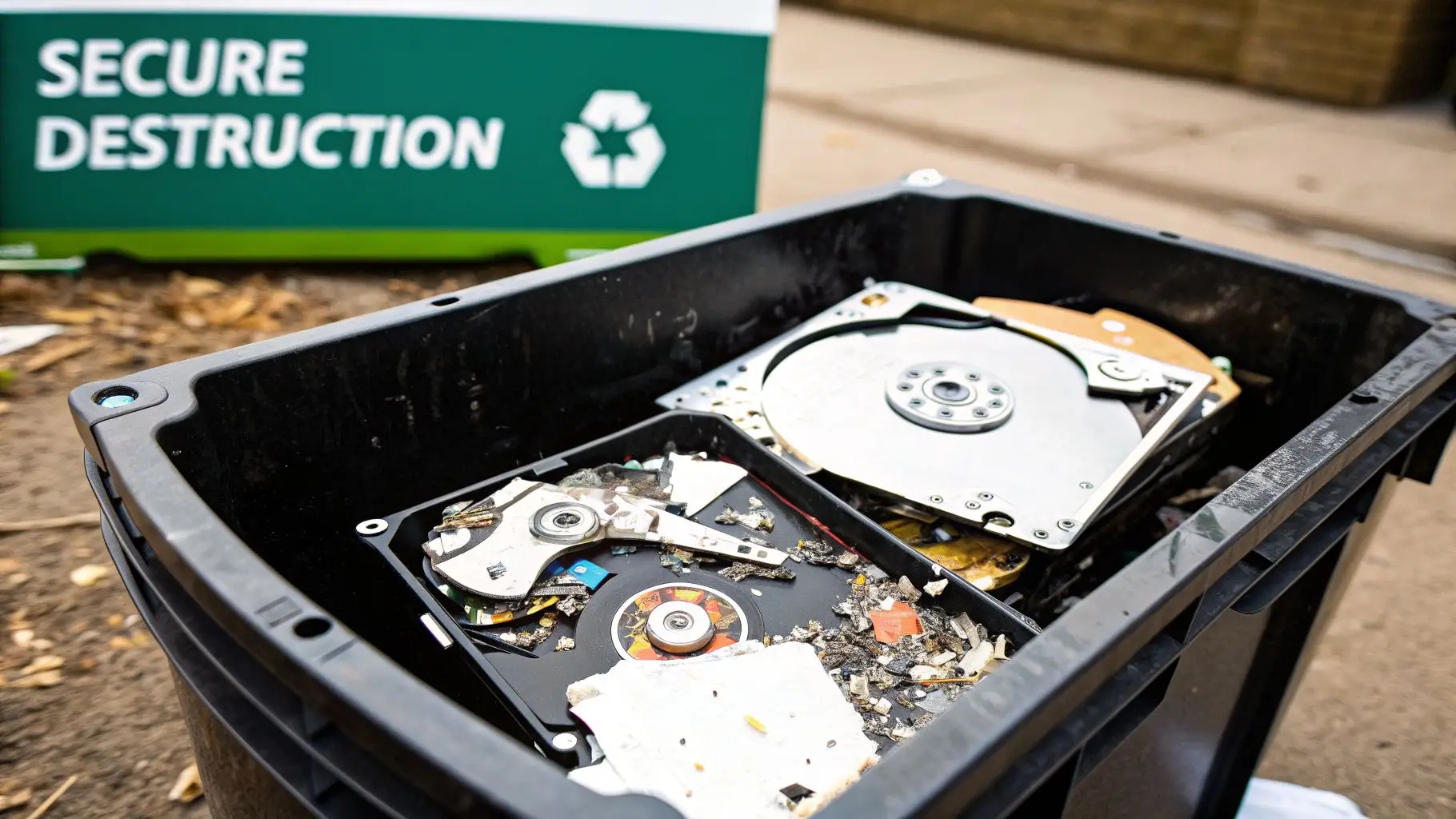
For organizations where data security is non-negotiable, physical hard drive destruction is the only method that guarantees complete data obliteration. Unlike software-based wiping, which can be fallible, secure shredding uses industrial-grade equipment to pulverize hard drives, solid-state drives, and other storage media into tiny, irretrievable fragments. This product destruction process provides absolute assurance that sensitive information is permanently destroyed and cannot be recovered by any means.

The primary benefit of this approach is its definitive and verifiable outcome. When trying to figure out what to do with old computer hardware that contains classified or proprietary data, shredding eliminates all risk. Certified vendors provide official Certificates of Destruction, which serve as crucial legal proof for compliance audits and internal security records.
When to Use Secure Hard Drive Shredding
This method is essential for scenarios with zero tolerance for data exposure and strict regulatory oversight. It is the best practice for:
- Government & Defense Contractors: Meeting data destruction mandates for classified information.
- Healthcare Organizations: Complying with HIPAA by ensuring patient records (PHI) on retired medical equipment are irreversibly destroyed.
- Financial Institutions: Protecting sensitive customer data (PII) during security audits and technology refreshes.
- Legal and R&D Firms: Permanently eliminating drives containing confidential client information, trade secrets, or intellectual property from laboratory equipment.
Actionable Steps for Effective Destruction
To implement a secure shredding process, meticulous planning and vendor verification are key.
- Arrange On-Site Shredding: Schedule a mobile shredding truck to visit your facility. This allows you to witness the destruction firsthand for maximum security and transparency.
- Maintain a Chain of Custody: Document every drive by serial number and have your team supervise the assets until they are fed into the shredder.
- Collect All Documentation: Insist on receiving a Certificate of Destruction immediately after the service is completed and file it with your compliance records.
- Verify Vendor Certifications: Partner with a provider that holds R2 or e-Stewards certifications to confirm their processes meet the highest industry standards for security and environmental responsibility. To see how this is done, you can learn more about secure hard drive destruction services and their compliance protocols.
4. Certified Data Wiping and Software Erasure
When hardware is still functional, certified data wiping offers a secure method for destroying information without physically destroying the asset. Using specialized, NIST-compliant software, this process overwrites existing data on hard drives and solid-state drives multiple times, making the original information completely unrecoverable. This software-based approach ensures data security while preserving the hardware’s value for resale, donation, or internal redeployment.
This method provides a crucial balance between robust security and environmental responsibility. Instead of shredding a perfectly good laptop or server, data wiping allows it to have a second life. For businesses looking for solutions for what to do with old computer hardware that is still operational, this is an ideal first step before considering recycling. It also produces auditable reports, essential for proving compliance with data privacy regulations.
When to Use Certified Data Wiping
Software-based erasure is the best option when you need to guarantee data destruction but want to recover value from the physical equipment. It is especially effective for:
- Enterprise Laptop and Desktop Refreshes: Preparing large batches of used corporate laptops for the secondary market or for donation.
- Educational Institution IT Lifecycle Management: Securely wiping student and faculty devices at the end of their lifecycle for resale to fund new equipment.
- Corporate Office Relocations: Wiping data from equipment that will be sold rather than moved to a new facility.
- Donated Equipment Preparation: Ensuring that computers donated to non-profits are completely free of any residual corporate data.
Actionable Steps for Effective Data Wiping
To implement a secure and efficient data wiping program, follow these best practices.
- Prioritize Functional Equipment: Separate working devices designated for wiping from non-functional or obsolete hardware destined for shredding or recycling to maximize value.
- Request Detailed Erasure Certificates: Ensure your service provider, like a professional partner such as Beyond Surplus, gives you certificates detailing the erasure standard used (e.g., NIST 800-88), device serial numbers, and confirmation of success.
- Conduct Sample Verification: Randomly test a small percentage of wiped drives to independently confirm that the erasure process was completed successfully.
- Process in Batches: Group similar devices (e.g., all laptops of the same model) to be wiped simultaneously, which improves efficiency and can lower processing costs.
5. Donation to Educational and Non-Profit Organizations
Donating functional IT equipment is a powerful way to support social responsibility initiatives while extending the life of your hardware. Schools, universities, nonprofits, and community organizations often operate with limited technology budgets and can greatly benefit from your surplus assets. This approach not only provides valuable resources to those in need but can also offer tax deduction benefits for your organization.
This method transforms old computer hardware from a disposal challenge into a community asset. By giving your equipment a second life, you support education, job training, and administrative functions for organizations that make a real difference. Vetted ITAD partners can facilitate the process, ensuring your hardware reaches deserving recipients securely.
When to Donate Your Equipment
Donation is an ideal solution for functional, relatively modern equipment that no longer meets your enterprise performance standards but is still perfectly capable for everyday tasks.
- Supporting Underserved Communities: Gifting desktops and laptops to K-12 schools or community tech centers for job training programs.
- Empowering Non-Profit Operations: Providing servers, monitors, and networking gear to strengthen the administrative backbone of charitable organizations.
- Fulfilling Corporate Social Responsibility (CSR) Goals: Demonstrating a commitment to community support and sustainability through a documented donation program.
- Public-Facing Institutions: Libraries can use donated computers to expand public access computing resources for their patrons.
Actionable Steps for a Successful Donation
Proper planning is key to ensuring your donation is secure, beneficial, and properly documented for both compliance and tax purposes.
- Verify Recipient Status: Confirm the organization is a registered 501(c)(3) non-profit to ensure your donation is tax-deductible.
- Securely Wipe All Data: Before any hardware leaves your facility, perform certified data destruction to eliminate all sensitive information and protect your organization from liability.
- Document Fair Market Value: Work with your finance department to assess the fair market value of the equipment and obtain a donation receipt from the recipient for tax records.
- Partner with an ITAD Vendor: Consider working with an established ITAD company that offers donation program management to handle logistics and vetting. For more details on the process, you can explore guides on computer donation for nonprofits.
6. E-Waste Recycling and Environmental Processing
For equipment that is unusable, non-functional, or too old for remarketing, certified e-waste recycling is the most responsible solution. This process ensures that old computer hardware is broken down into its base commodities for reuse in manufacturing, preventing toxic materials from contaminating landfills. Professional recyclers recover valuable materials like copper, gold, aluminum, and rare earth elements while safely managing hazardous components such as mercury, lead, and cadmium.
This approach focuses on environmental stewardship and regulatory compliance. By partnering with a certified electronic waste pickup service, your organization not only supports a circular economy but also fulfills its legal and ethical obligations for proper disposal. This is a critical step for what to do with old computer hardware when reuse or resale is no longer an option.
When to Use E-Waste Recycling
This method is the final, essential step for any equipment that has reached its true end-of-life and cannot be repaired, donated, or sold. It is particularly important for:
- End-of-Life Assets: Servers, networking gear, and peripherals that are broken, obsolete, or have no residual value.
- Corporate Sustainability Initiatives: Businesses aiming to meet environmental goals and report on their recycling efforts.
- Compliance with E-Waste Regulations: Organizations in states with strict electronics disposal laws that need to prove proper handling.
- Obsolete Technology: Disposing of outdated equipment like CRT monitors, old printers, and proprietary hardware with no secondary market.
Actionable Steps for Responsible Recycling
To maximize material recovery and ensure environmental compliance, follow a structured process.
- Verify Certifications: Before engagement, confirm your recycler holds certifications like R2v3 or e-Stewards. These standards guarantee they follow strict environmental and data security protocols.
- Request Detailed Reporting: Ask for recycling reports that show material recovery percentages and confirm the final disposition of all assets.
- Document Environmental Impact: Use the data from your recycling partner for corporate sustainability reports, highlighting your commitment to reducing the environmental impact of electronic waste.
- Confirm Hazardous Material Handling: Insist on receiving a certificate or statement confirming that all hazardous materials were managed and processed according to federal and state regulations.
7. Data Center De-Installation and Liquidation Services
Data center de-installation and liquidation is a highly specialized service designed for the complex task of dismantling and disposing of large-scale IT infrastructure. This process involves the meticulous planning, coordination, and execution of removing servers, storage arrays, networking gear, and related hardware from a data center environment. An expert partner manages the entire project, from staged decommissioning to maintain uptime to the final disposition of every asset, ensuring a secure and efficient shutdown with minimal disruption.
This service is essential for organizations undertaking major infrastructure shifts. The primary goal is to safely remove equipment while maximizing value recovery and guaranteeing complete data destruction for sensitive infrastructure. Professional liquidation services turn a logistical challenge into a managed process, providing a clear chain of custody and full accountability for all retired assets.
When to Use Data Center De-Installation and Liquidation
This solution is necessary for projects involving the complete or partial teardown of data center environments. It is not for single-server disposals but for large, complex operations.
- Enterprise Data Center Consolidations: Companies reducing their physical data center footprint, often as part of a cloud migration strategy.
- Cloud and Hyperscaler Refresh Cycles: Large service providers replacing thousands of servers and network devices as part of a regular technology upgrade.
- Complete Facility Closures: Liquidating all IT infrastructure assets when a data center location is being permanently closed.
- Mergers and Acquisitions: Integrating or eliminating redundant data center facilities following a corporate merger.
Actionable Steps for a Successful De-Installation
Engaging a partner early is key to a smooth and cost-effective project. Proper preparation is critical for success.
- Engage Early in the Planning Phase: Involve your ITAD partner during the initial planning stages to optimize logistics, scheduling, and potential value recovery.
- Create a Detailed Inventory: Before the project begins, document all equipment, including make, model, and serial numbers, to ensure accurate tracking and valuation.
- Plan a Staged Removal: Work with your partner to decommission equipment in phases, allowing you to maintain business continuity for critical systems still in operation.
- Establish Clear Security Protocols: Define and communicate strict security procedures for accessing the facility and handling equipment containing sensitive data. A partner like Beyond Surplus can help define these protocols.
8. Individual Equipment Sales Through Online Marketplaces
For organizations looking to maximize financial returns from their retired IT assets, selling individual pieces of equipment on online marketplaces is a highly effective strategy. Platforms like eBay, Amazon Business, or even local classifieds allow you to reach a broad audience of buyers seeking specific components or devices. This approach requires more hands-on effort than bulk disposal but can yield significantly higher returns, especially for premium or in-demand hardware.
The key to this method is connecting directly with the end-user or a smaller reseller who values the specific model or configuration you are selling. Unlike bulk buyback programs that offer a blended rate, individual sales capture the full secondary market value of each item. This direct-to-consumer model puts you in control of pricing, presentation, and the final sale, turning depreciated assets into a direct revenue stream.
When to Use Online Marketplaces
This method is ideal for functional, high-value equipment where the potential return justifies the labor involved in listing, packing, and shipping. Consider this approach for:
- Premium Laptop Models: Selling high-end business laptops (e.g., Dell XPS, Lenovo ThinkPad X1 Carbon) with strong secondary market demand.
- Specialized Server Components: Listing specific server CPUs, RAM modules, or RAID controllers that are sought after for upgrades or repairs.
- High-End Workstations: Offloading graphics-capable or engineering workstations that retain significant value for freelancers and small businesses.
- Enterprise Networking Gear: Selling individual switches, routers, and firewalls from reputable vendors like Cisco or Juniper to network professionals.
Actionable Steps for Successful Online Sales
To maximize your returns and ensure a smooth transaction process, a systematic approach is crucial.
- Research Market Value: Before listing, search for comparable models on your chosen platform to establish a competitive price point.
- Create Detailed Listings: Provide clear, high-quality photos from multiple angles. Include exact model numbers, technical specifications, and an honest description of the item's condition.
- Document Data Destruction: Protect your business and build buyer trust by stating that all storage media has been professionally wiped. Mentioning a Certificate of Data Destruction adds significant credibility.
- Develop a Shipping Process: Standardize your packing and shipping procedures to be efficient and protect the equipment during transit. Factor these costs into your pricing.
9. Manufacturer Take-Back and Extended Producer Responsibility Programs
Returning used equipment directly to the original manufacturer is a highly effective method for responsible disposal, particularly for businesses dealing with branded fleets of hardware. Many major IT manufacturers, including Dell, HP, and Apple, operate formal take-back programs, often driven by Extended Producer Responsibility (EPR) regulations. These programs are designed to recover, refurbish, or recycle their own products, creating a closed-loop system that aligns with corporate sustainability goals.
These initiatives provide a straightforward path for businesses trying to figure out what to do with old computer hardware from a single brand. Instead of coordinating with multiple vendors, you can often manage the entire end-of-life process through one established channel. The manufacturer assumes responsibility for data destruction and environmentally sound recycling, providing a level of brand-backed assurance.
When to Use a Manufacturer Program
This option is ideal when a large portion of your retiring assets comes from a single manufacturer or when you are looking to trade in equipment for credit toward new purchases from that same brand. Consider using these programs for:
- Single-Brand Technology Refreshes: Retiring a fleet of Dell laptops, HP desktops, or Apple MacBooks.
- Trade-In for Value: Leveraging old devices to get credit or discounts on new models.
- Simplified Logistics: Consolidating all same-brand equipment for a single pickup or shipment, reducing logistical complexity.
- Brand-Specific Recycling: Utilizing programs like the Dell Reconnect partnership or HP Planet Partners for documented, responsible recycling.
Actionable Steps for a Smooth Take-Back Process
To get the most from these programs, proper preparation and comparison are key.
- Identify and Aggregate: Group all equipment by manufacturer to streamline the process for each specific take-back program.
- Check Program Websites: Visit the manufacturer’s official website to verify eligibility, understand shipping requirements, and learn about any associated trade-in values.
- Request Destruction Certificates: Even when using a manufacturer program, insist on receiving certificates of data destruction to maintain your compliance records.
- Compare Against ITAD: Evaluate the manufacturer’s offer (including any trade-in value) against a quote from a third-party ITAD provider to ensure you are maximizing financial return and service quality.
10. Internal Equipment Redeployment and Lifecycle Extension
One of the most cost-effective strategies for managing old computer hardware is to look inward before looking outward. Internal equipment redeployment involves refurbishing and reassigning functional assets to different departments, locations, or less demanding roles within your own organization. This approach maximizes the value of your initial investment, extends the useful life of the equipment, and defers new capital expenditures. Instead of immediately retiring assets, you match existing capabilities to actual business needs.
This process transforms what might be considered "old" hardware for a power user into a perfectly suitable tool for a different purpose. For instance, a high-performance laptop from an engineering team can find a second life in a less intensive role, saving the company the cost of purchasing a new device. It is a powerful method for optimizing your IT budget and reducing the volume of equipment that requires external disposal.
When to Use Internal Redeployment
This strategy is ideal for organizations looking to maximize resource utilization and delay new purchases. It is particularly effective in scenarios where different roles have varying performance requirements.
- Cascading Technology Tiers: Moving corporate laptops from executive or sales teams to customer service agents or administrative staff.
- Repurposing for Non-Critical Functions: Repurposing older data center servers for backup, archival, or development and testing environments.
- Equipping Common Areas: Moving older but functional desktop computers into training facilities, break rooms, or conference rooms for general use.
- Supporting Branch Offices: Cascading network equipment like routers and switches from a primary data center to smaller branch offices with lower traffic demands.
Actionable Steps for Effective Redeployment
A successful internal redeployment program requires clear processes and documentation to avoid creating logistical headaches.
- Conduct an IT Asset Inventory: Start by creating a comprehensive list of available equipment to identify viable candidates for redeployment.
- Establish Clear Criteria: Define standards for redeployment based on equipment age, performance benchmarks, and remaining support lifespan. Not every device will be a good fit.
- Perform Full Refurbishment: Before reassigning a device, securely wipe all data, perform a clean OS installation, apply all necessary updates, and test for full functionality.
- Update Asset Management Systems: Meticulously document all internal transfers to maintain an accurate inventory and chain of custody.
- Reserve External Disposal: Only send equipment to an ITAD partner like Beyond Surplus when it no longer meets any internal requirements, ensuring you exhaust all reuse options first.
10 Disposal Options for Old Computer Hardware
| Option | 🔄 Complexity | ⚡ Resources & Speed | ⭐ Effectiveness / Security | 📊 Expected Outcomes | 💡 Ideal Use Cases / Tips |
|---|---|---|---|---|---|
| Certified IT Asset Disposition (ITAD) Services | High — requires scheduling, multi-site coordination | High resources (fleet, logistics); moderate turnaround | Very high — certified destruction, chain-of-custody | Secure disposal, liability transfer, compliance documentation | Enterprise-scale decommissions; document inventory and request certificates |
| IT Equipment Buyback and Value Recovery | Low–Medium — valuation and logistics coordination | Moderate resources; fast quotes and payments | High for value recovery; data wiping typically included | Cash recovery, reduced replacement costs, quicker disposition | Lease-end refreshes; clean/test devices and request detailed valuations |
| Secure Hard Drive Shredding and Destruction | Medium — scheduling and site prep for on-site shredding | High equipment/resource needs; fast for bulk volumes | Highest — irreversible destruction with video/certificates | Complete data elimination; equipment permanently unusable | Classified or zero-tolerance data; request video proof and timestamps |
| Certified Data Wiping and Software Erasure | Medium — requires technicians and verification processes | Moderate resources; variable speed for large-capacity drives | High for functional drives (NIST-compliant erasure) | Reusable hardware, compliance reports, value recovery | Functional drives for resale/redeploy; obtain erasure certificates |
| Donation to Educational and Non-Profit Organizations | Low–Medium — vetting recipients and paperwork | Low resource cost; coordination can be slower | Medium — secure if wiped; strong social impact | CSR benefits, tax deductions (FMV), extended device life | Donate current, functional devices; verify 501(c)(3) and get FMV docs |
| E-Waste Recycling and Environmental Processing | Low–Medium — requires certified recycler engagement | Moderate resources; processing can be slower | High environmental compliance; ensures safe hazardous handling | Material recovery, sustainability reporting, minimal resale value | End-of-life or nonfunctional equipment; verify R2/e-Stewards certifications |
| Data Center De-Installation and Liquidation Services | Very high — complex project planning and staging | Very high resources; longer timelines but efficient at scale | Very high — comprehensive security and multi-path disposition | Minimized downtime, bulk value recovery, full project documentation | Large data center refreshes or closures; engage ITAD early and inventory thoroughly |
| Individual Equipment Sales Through Online Marketplaces | High — per-item listing, shipping, and dispute handling | Low monetary resources but slow (weeks); labor-intensive | Variable — high for premium items, lower for commodity gear | Potentially highest per-unit returns; unpredictable timing | Premium/in-demand models or small volumes; provide clear listings and wiped devices |
| Manufacturer Take-Back and EPR Programs | Low — manufacturer manages process but limited scope | Low resources; speed varies by program | Moderate — manufacturer-certified disposition, lower trade-in value | Regulatory compliance, environmentally managed disposition, modest credits | Single-brand fleets; check eligibility and compare trade-in vs third-party offers |
| Internal Equipment Redeployment and Lifecycle Extension | Medium — inventory matching and refurbishment effort | Low external cost but uses internal IT time; generally quick | High cost-effectiveness and retained control/security | Deferred CAPEX, extended asset life, internal value optimization | Organizations with internal demand and phased refreshes; set redeploy criteria and track transfers |
Choosing the Right Path for Your Old Computer Hardware
The journey from a fully operational IT asset to its end-of-life doesn't have to be a source of risk or a logistical headache. As we've explored, the question of what to do with old computer hardware has multiple correct answers, each dependent on the asset's age, condition, and the data it contains. The key is to move beyond a simple "dispose" mindset and adopt a strategic approach to IT Asset Disposition (ITAD) that prioritizes security, value, and environmental responsibility in equal measure.
Making the right choice means viewing your retired equipment not as waste, but as a collection of opportunities. A server that's too old for your primary data center might be a perfect candidate for a buyback program, injecting unexpected cash back into your budget. An office full of five-year-old laptops could be a game-changing donation for a local school or nonprofit. Meanwhile, a broken, obsolete printer has a clear destination: a certified e-waste recycling facility where its materials can be responsibly recovered. The most critical thread connecting all these paths is absolute data security. No device should leave your control without its data being irrevocably destroyed, whether through certified wiping or physical shredding.
From Strategy to Action: Key Takeaways
Implementing a successful disposition program boils down to a few core principles. First, never let an asset's disposition be an afterthought. Your IT lifecycle management plan must include a clear, documented process for retiring hardware securely and efficiently. Second, prioritize data destruction above all else. The financial and reputational cost of a data breach far outweighs any potential return from selling an improperly sanitized device.
Here are the essential action steps for any organization:
- Inventory and Assess: Begin by cataloging your surplus assets. Note the make, model, age, condition, and, most importantly, whether it stores data. This inventory is the foundation of your disposition strategy.
- Segment Your Assets: Group your hardware into categories based on potential. Is it modern enough for buyback or internal redeployment? Is it functional but dated, making it ideal for donation? Or is it truly at its end-of-life and destined for recycling?
- Execute Secure Data Destruction: For every single device with a hard drive or solid-state drive, execute a certified data destruction plan. This is a non-negotiable step.
- Partner for Success: For most businesses, especially those in Smyrna, Georgia, managing this entire process in-house is impractical. Partnering with a certified ITAD provider simplifies logistics, guarantees compliance, and provides the documentation needed to prove your due diligence.
The Broader Impact of Responsible ITAD
Mastering your approach to old computer hardware is more than just good business practice; it's a reflection of your company's values. A well-managed ITAD program demonstrates a commitment to data privacy, a respect for financial stewardship by recovering value, and a dedication to corporate social responsibility through proper recycling and community donations. It protects your organization from the significant legal and financial penalties associated with non-compliance with regulations like the FTC Disposal Rule and ensures your brand's reputation remains intact.
Ultimately, your old computer hardware holds its final value in how you choose to let it go. Will it become a security liability, an environmental problem, or a missed financial opportunity? Or will it be a source of recovered revenue, a tool for a community in need, and a testament to your organization's commitment to operating securely and responsibly? The choice is yours, and the right partners are ready to help you execute it flawlessly.
Ready to transform your surplus IT equipment from a liability into a secure, valuable asset? Beyond Surplus provides certified, end-to-end ITAD solutions for businesses in Smyrna and across the nation, handling everything from secure logistics and on-site data destruction to maximizing your financial return. Partner with an expert to ensure your old computer hardware is managed responsibly by visiting Beyond Surplus to get a quote today.