Your lease is signed. The floor plan is approved. Leadership wants the move done with minimal disruption. Then a significant problem shows up. Printers, laptops, network gear, retired desktops, access control panels, conference room systems, and old hard drives sitting in a closet all have to move, be redeployed, or be destroyed correctly.
That’s why office movers atlanta ga isn’t just a facilities search. For an IT manager, it’s a risk decision. Atlanta’s commercial moving market is large and well-developed, but the move team that can relocate furniture isn’t automatically the team that should touch storage media, decommission racks, or document the final disposition of retired assets.
Atlanta has deep commercial moving capacity. Providers in the market handle enterprise-scale relocations and bundled support such as disconnect/reconnect, storage, installation, and decommissioning. But a secure move depends on separating what is merely “technology handling” from what qualifies as controlled IT asset disposition and documented data destruction.
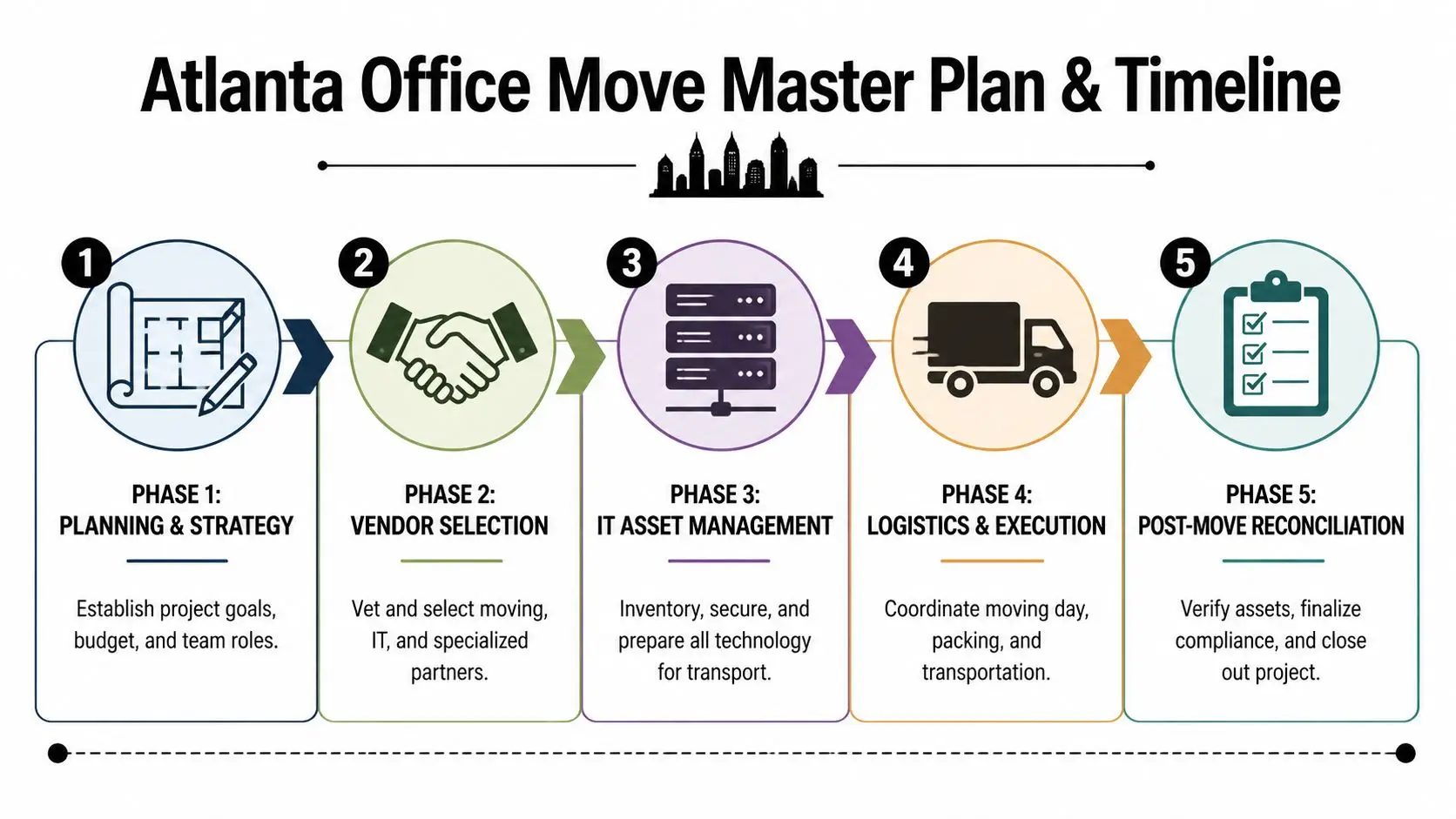
Building Your Atlanta Office Move Master Plan and Timeline
Atlanta moves tend to fail in the planning stage, not on move day. Buildings have loading dock rules, elevator windows, security procedures, and vendor insurance requirements. Internal teams also underestimate how many decisions sit behind a “simple” office move. Who approves labeling standards? Who signs off on asset retirement? Who decides what gets moved versus destroyed?
Professional relocation teams in Atlanta often use a four-step project management method of Initiation, Planning, Execution, and Completion, and that structured approach has been tied to 60% better on-time completion in this market according to BRG Office Movers’ relocation planning methodology.
Start with scope, not boxes
Initiation means defining the move as a business project. That includes the target date, departments affected, approved vendors, systems that can tolerate downtime, and equipment that can’t leave controlled custody.
A practical scope document should answer:
- What is moving: Active workstations, servers, network gear, AV equipment, copiers, and specialty electronics.
- What is staying: Built-in fixtures, landlord-owned equipment, cabling that won’t be reused.
- What is retiring: Obsolete laptops, failed drives, surplus monitors, and gear headed for recycling or destruction.
- Who owns each decision: Facilities, IT, security, procurement, HR, and finance all have separate roles.
Build the timeline around dependencies
Planning is where most first-time move teams either save the project or create months of cleanup. Your timeline needs to account for building approvals, phased packing, pre-move audits, and final reconciliation. In Atlanta, a realistic schedule also leaves room for submarket building restrictions and dock reservations.
Practical rule: If an asset needs power, credentials, or data access to be useful on Monday morning, it needs a documented move path before furniture packing starts.
Use a planning grid that tracks three things at once:
| Workstream | Key owner | Critical output |
|---|---|---|
| Facilities move | Office manager or facilities lead | Seating plan, dock access, elevator booking |
| IT relocation | IT manager | Disconnect plan, cable labeling, device map |
| ITAD and recycling | Compliance or IT asset owner | Serialized inventory, disposition approval, certificates |
Treat asset labeling as a control system
Execution gets messy when teams rely on handwritten sticky notes or department memory. Use a labeling system that ties each device to a person, destination, and status. For IT equipment, that should include serial number capture and clear categories such as move, hold, redeploy, recycle, or destroy.
A dedicated office relocation workflow helps. The key isn’t the form itself. The key is making sure movers, IT staff, and any downstream recycling or destruction partner are all working from the same asset record.
Close the move like an audit
Completion isn’t unpacking. It’s verification. Audit what arrived, what was redeployed, and what left the site for disposition. If a device disappears into a “miscellaneous electronics” pile during the final sweep, the project is not complete.
A clean closeout includes signed inventories, updated seating assignments, decommission records, and final vendor paperwork. That turns the move from an operational scramble into a documented transfer of assets and responsibility.
Choosing Your Atlanta Office Moving and IT Partners
Price is the easiest number to compare, so teams often anchor on it too early. That’s a mistake. In Atlanta, vendor selection should start with capability, chain of responsibility, and experience with commercial environments similar to yours.
The local market can support very large and complex projects. Suddath states that it moves 135 million square feet of commercial real estate annually, manages $2.7 billion in customer assets, and supports 674,000 workstations with services that include IT disconnect and reconnect, according to Suddath’s Atlanta office movers page.

Separate the vendor roles
One vendor can coordinate a lot of work. That doesn’t mean one vendor should perform every task.
For most business relocations, you’re really selecting three partners:
- Commercial mover: Handles furniture, cartons, common-area equipment, staging, loading, and transport.
- IT relocation team: Handles disconnect, rack awareness, cable mapping, workstation sequencing, and controlled setup.
- ITAD provider: Handles retired assets, data destruction, recycling, resale, and compliance documentation.
If a mover says it can “handle electronics,” ask what that phrase means operationally. It may only mean padded transport. That is not the same thing as certified data destruction or auditable disposition.
Ask questions that reveal process maturity
A strong vendor interview sounds less like a sales call and more like a project review. Ask for specifics.
- Building familiarity: Have they worked in high-rise and access-controlled Atlanta offices with dock reservations and elevator rules?
- Asset controls: How do they label equipment, verify pickup, and confirm delivery by room or user?
- Escalation path: Who is the onsite decision-maker when access, timing, or damaged packaging becomes an issue?
- Insurance and documentation: What paperwork do they provide before move day and at closeout?
A mover who answers with broad assurances instead of a workflow usually creates surprises later.
Evaluate ITAD separately
Many procurement teams often blur categories. A moving crew can disconnect monitors and roll carts. That doesn’t make them a secure disposition partner. If retired equipment is part of the project, include a separate review of downstream handling, audit trail, and documentation standards.
A useful comparison is to review firms that specialize in office relocation companies for business transitions and then isolate which of them can also support secure asset disposition without mixing active devices and retired media.
What good vendor coordination looks like
You want one master schedule but distinct responsibilities. The mover should know what not to touch. IT should know what gets powered down and when. The disposition partner should receive only approved retired assets with a matching inventory.
That division protects your project in two ways. First, it reduces confusion onsite. Second, it keeps your highest-risk assets from getting swept into the wrong truck, storage area, or staging room.
The Critical Path Securely Managing IT Assets During Relocation
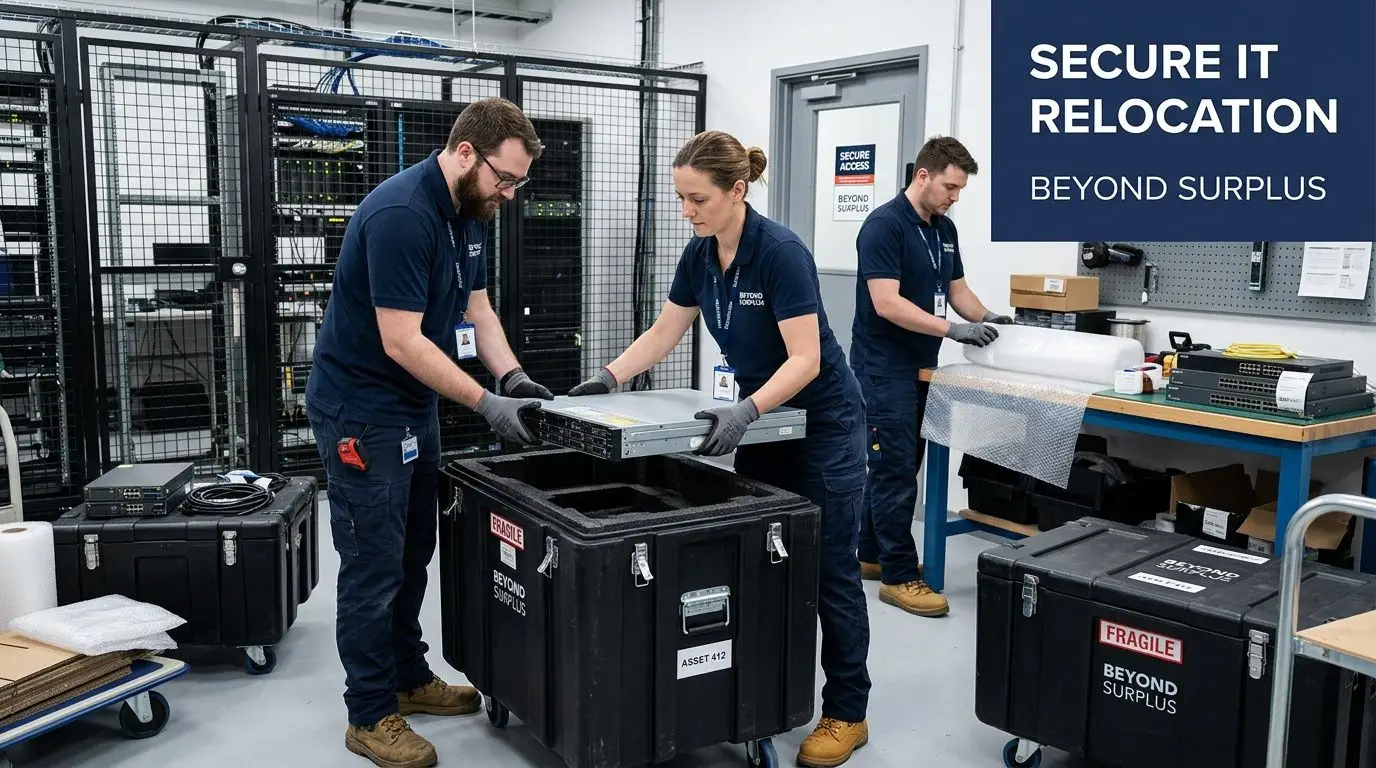
The most expensive mistake in an office move is treating IT like furniture. Desks can survive a labeling error. Storage media can’t. If retired drives, surplus laptops, or decommissioned network appliances leave your office without a documented chain of custody, you’ve created a security problem that won’t show up on the moving checklist.
That gap is common in Atlanta. An analysis of the market found that many movers advertise “technology relocation” but don’t provide certified data destruction, and 70% of office moves overlook formal ITAD processes, according to BRG Office Movers’ Atlanta location analysis.
Divide assets into three lanes
Before move week, every device should sit in one of three lanes.
Move and reconnect
These are active assets required at the new site. They need user mapping, shutdown sequencing, and destination labels.Hold for decision
This usually includes spare equipment, duplicate monitors, old but functional laptops, and gear pending finance or security review.Retire with documented disposition
This includes failed drives, obsolete desktops, unsupported servers, and devices with sensitive data exposure.
Mixing those lanes is where chain-of-custody breaks down.
Chain of custody is the control, not the truck
A secure process records who handled the asset, when it changed hands, and what final action was taken. That matters most for drives, servers, copiers with storage, and multifunction devices that often get forgotten during office exits.
For retired media, the right question isn’t “Can the mover take this too?” It’s “Who is authorized to destroy the data, document the event, and issue final records?”
One option in Atlanta is Beyond Surplus ITAD services, which include on-site and off-site hard drive shredding, certified data wiping, electronics recycling, and certificates of recycling and data destruction. Those records matter when legal, compliance, or procurement asks what happened to a specific asset after the move.
Don’t overlook voice and connectivity dependencies
Phone cutovers often get treated as a separate telecom project, but they directly affect move sequencing. If your service desk, reception routing, or call queues are changing during the move, review cloud phone system solutions early so your communications plan doesn’t lag behind your physical relocation.
If your old office is empty but your support line still points there, the move is not operationally complete.
Data destruction should be scheduled, not improvised
Retired assets should never be destroyed as a side task at the loading dock. Schedule the destruction event the same way you schedule elevator access and truck arrival. Pre-approve the retired inventory. Confirm whether destruction happens on-site or off-site. Identify who witnesses or signs off. Then collect the resulting paperwork and match it back to the asset list.
That discipline prevents a common failure pattern. The team gets through the move, but nobody can later prove whether a batch of drives was wiped, shredded, stored, or lost in transit.
Navigating Atlanta Logistics Costs and Common Moving Pitfalls
Monday at 8:00 a.m., the desks are in place, the conference room looks finished, and leadership assumes the move is over. Then the first ticket hits. A printer with stored scan jobs was moved without being cleared. Two laptops marked for retirement are missing from the handoff sheet. The freight elevator overran its window, so the network team lost rack installation time. That is how an office move in Atlanta turns into an IT, compliance, and cost problem.
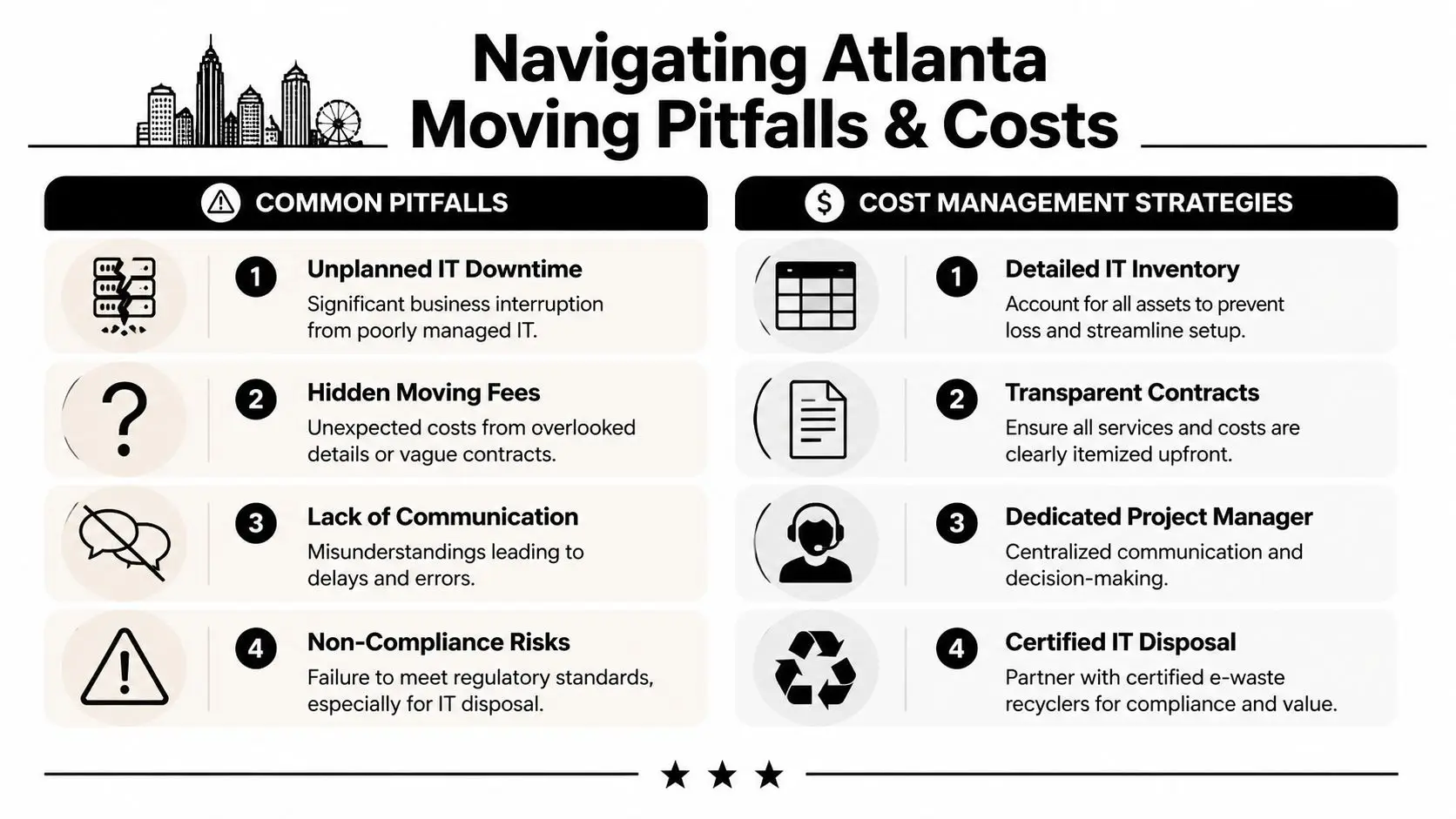
Teams usually budget for trucks, labor, and furniture installation. The larger expense often comes from lost work hours, after-hours remediation, and poor control of devices that should have been redeployed, wiped, or sent into the ITAD stream. Standard moving quotes rarely price that risk correctly.
Lost productivity usually costs more than transportation
Analysts at BRG found that office relocations commonly reduce productivity, and their review of office moving failures points to recurring causes such as missed elevator planning, poor scheduling, and weak task ownership, as outlined in BRG’s guide to office moving challenges. For IT managers, the lesson is practical. Budget the move as an operational event, not a hauling job.
That means pricing these impacts before vendors are selected:
- User downtime: Staff can sit in a finished office and still be unable to work if identity access, Wi-Fi, printing, phones, or conference room systems are not live.
- Scope gaps: “IT disconnect/reconnect” can range from monitor packing to server shutdown, transport custody, cable remapping, and testing.
- Building constraints: Dock scheduling, certificates of insurance, street access, and elevator reservations create overtime charges fast in Midtown, Buckhead, and many multi-tenant properties.
- Asset disposition handling: Retired devices add chain-of-custody, storage, and destruction requirements that office movers often do not own.
One missed assumption can erase any savings from a lower moving quote.
The overrun drivers are usually visible early
I see four patterns repeatedly on Atlanta projects.
First, teams mix active equipment with retired equipment because both groups are being touched during the move. That creates confusion at the truck, the storage room, and the receiving floor. Once serialized devices leave the site without a clear disposition path, your problem is no longer just budget. It is data exposure and audit exposure.
Second, building management deadlines get treated like admin work. They are schedule controls. If your crew misses a dock window or COI cutoff, every downstream task tightens.
Third, vendor responsibility stays fuzzy. The mover assumes IT will disconnect everything. IT assumes the mover can transport secured hardware. The recycler assumes the retired inventory will be segregated and labeled before pickup. Those assumptions fail under time pressure.
Fourth, teams underbudget for post-move fixes. Cable extensions, replacement peripherals, patching damaged equipment, relabeling, and exception handling are common costs. They should sit in the original budget, not in a surprise invoice bucket.
A useful cross-check is to compare your assumptions against GIBBSONN Interiors' relocation cost guide, then add the line items most office move articles miss. Device custody, data destruction, compliance documentation, and staged cutover support.
Three controls that prevent expensive mistakes
Assign one owner for cost approvals and exception decisions. Finance can still review invoices, but one project lead should control change orders, after-hours approvals, and scope clarifications in real time.
Separate the workstreams. Facilities, movers, IT, security, and ITAD providers need different task lists, acceptance criteria, and sign-off points. A structured vendor due diligence checklist for office moving and ITAD partners helps expose who carries insurance, who documents custody, and who produces the records your compliance team will ask for later.
Stage high-risk systems instead of treating the relocation as one giant event. Core network gear, executive devices, multifunction printers, and anything holding local data should move on a plan that includes pre-move validation, controlled transport, and post-install testing.
A move budget is only real when it includes downtime risk, exception labor, and secure handling for every retired or in-transit IT asset.
Post-Move Reconciliation and Ensuring Full Compliance
A move ends twice. First, the trucks leave. Later, the paperwork proves what happened. That second ending is the one many teams skip.

Reconcile assets before you call the project done
Start with the serialized inventory used during planning. Match every tagged item to one of three final outcomes: arrived and installed, held in storage, or transferred for disposition. If a device doesn’t fit one of those outcomes, treat it as an exception and resolve it immediately.
This is especially important for multifunction devices, old network hardware, and executive equipment that may have local storage or configuration data.
Collect the documents that transfer responsibility
Your final packet should include the operational and compliance records generated by the move. Typical records include bills of lading, final invoices, asset manifests, and the destruction or recycling certificates tied to retired equipment.
Physical completion without documentation leaves the liability trail open.
For office exits, facilities teams also tend to run a parallel closeout process for cleaning, patching, and landlord turnover. Even though it’s outside IT, it helps to look at structured turnover examples such as Calibre Cleaning's Brisbane services because they show the same principle: handoff is only complete when the checklist and documentation are complete.
Verify policy alignment
Once the move is closed, update internal records. Asset registers, user assignment lists, disposal logs, and procurement write-offs should match the final state of the project. If they don’t, you’ll end up redoing the audit later during a security review, lease dispute, or insurance claim.
Frequently Asked Questions About Office Moves and IT Disposal
At 4:30 p.m. on move day, the desks are empty, the servers are off the floor, and one question usually shows up too late: who signed for the retired laptops and hard drives? That gap is where office moves turn into security incidents. Standard movers can relocate equipment. Retired IT assets need a separate chain of custody, documented sanitization, and final disposition records.
Can an office mover handle old computers and hard drives?
A mover can usually pack and transport old equipment. That does not satisfy disposal, privacy, or audit requirements. If a device is leaving service, handle it under an ITAD process with serialized tracking, controlled pickup, approved data destruction, and certificates tied back to your asset list.
For Atlanta IT managers, the practical rule is simple. Equipment going to the new office follows the move plan. Equipment leaving service follows the disposition plan. Mixing the two creates labeling errors, custody gaps, and missing records.
What does an IT manager need from office movers atlanta ga vendors before move day?
Get the scope in writing. Confirm building access, insurance, elevator reservations, staging locations, and the exact labeling method by room, user, or department.
For IT, ask sharper questions. Who disconnects workstations, printers, phones, network gear, and conference room systems? Who is allowed to touch retired assets? How are packed devices separated from equipment marked for disposal? If the mover cannot answer those points clearly, the risk sits with your team.
How much does an Atlanta office move usually cost?
Costs vary with headcount, distance, building access, after-hours work, and how much specialty handling the project requires. As noted earlier, local Atlanta office moves often start with standard labor and truck pricing, then rise once packing, decommissioning, storage, or complex equipment handling are added.
The part many teams miss is disposal cost. Certified media destruction, serialized inventory, and recycling documentation are separate workstreams. Budget for them early so they are not treated as a last-minute add-on.
Can we throw away old office electronics during the move?
No. Business electronics should not go into normal trash or single-stream recycling. Many devices contain storage media, retained credentials, internal configuration data, or regulated components that require controlled handling.
That includes items teams often overlook, such as multifunction printers, firewall appliances, VoIP phones, badge systems, and docking stations with embedded storage.
What is a Certificate of Data Destruction?
It is the record showing a data-bearing asset was destroyed or sanitized under a defined process. For an IT manager, that document closes the loop between the asset register and the final disposition event.
Without that record, you can prove the device left the office. You usually cannot prove what happened to the data.
What is a Certificate of Recycling?
A Certificate of Recycling shows the equipment entered a documented recycling stream instead of being dumped, abandoned, or handled informally. Companies keep it for audit files, vendor closeout, internal controls, and sustainability reporting.
Ask for enough detail to match the certificate back to the shipment or asset manifest. A generic statement with no project reference has limited value later.
Where do I find secure business data destruction in Atlanta?
Start with a provider that specializes in secure business data destruction and documented media handling. Look for chain-of-custody procedures, business pickup capability, serialized tracking, and final destruction records that your compliance team can file.
If your mover also offers electronics removal, verify whether they are acting as the transporter or the actual ITAD provider. Those are different roles, and the paperwork should make that distinction clear.
If you're planning an Atlanta office relocation and need the IT side handled with the same discipline as the physical move, contact Beyond Surplus for certified electronics recycling and secure IT asset disposal.